Messages In This Digest (25 Messages)
- 1.
- iPhone Cyber-Bully App Reaches 3 Million Users From: prMac Mailer
- 2.
- GiftShopper 1.0 released for iOS - Stylish Gift Management App From: prMac Mailer
- 3.
- Hot New Holiday Dress Up Game for Girls on iPhone and iPad From: prMac Mailer
- 4.
- Garage Sale PRO 1.0 automatically displays local garage sales From: prMac Mailer
- 5.
- Voyage - The Esssential Travel App for Canadians From: prMac Mailer
- 6.
- i.Menu Expo 2012 and iMenu Magazine: The Future of Hospitality From: prMac Mailer
- 7.
- A New Visual iPad App For Learning Multiplication Tables From: prMac Mailer
- 8.
- Makanim for iPhone and iPad - Graphic Multitouch App - Fun, Relax an From: prMac Mailer
- 9.
- MultiFrame - Photo Collage Creation for iOS Made Easy From: prMac Mailer
- 10.
- New Christmas Coloring Book App for Kids on iPhone, iPad and iPod to From: prMac Mailer
- 11.
- Mergemill Pro 4.2 Breaks Barriers to Help Users Do More in Less Time From: prMac Mailer
- 12.
- Gradient for OS X - The Missing Link between Web Designers and Color From: prMac Mailer
- 13.
- MusicStatus for Facebook 1.0 - Share your Music Playlist to Facebook From: prMac Mailer
- 14.
- ShotList App Helps Film And Video Makers To Plan Their Shoots From: prMac Mailer
- 15.
- Betel Nut Games releases Dog Park: Top Dog for the iPhone and iPad From: prMac Mailer
- 16.
- Monkey Christmas 1.0 - A New iPhone/iPod App For Kids And Family From: prMac Mailer
- 17.
- New iPhone App, Friends Map Lets You Pinpoint a Friends Location From: prMac Mailer
- 18.
- Edipresse Asia - magazines now Live on Magzter From: prMac Mailer
- 19.
- Elliott Davis Embraces Bring Your Own Device Trend with mobilEcho From: prMac Mailer
- 20.
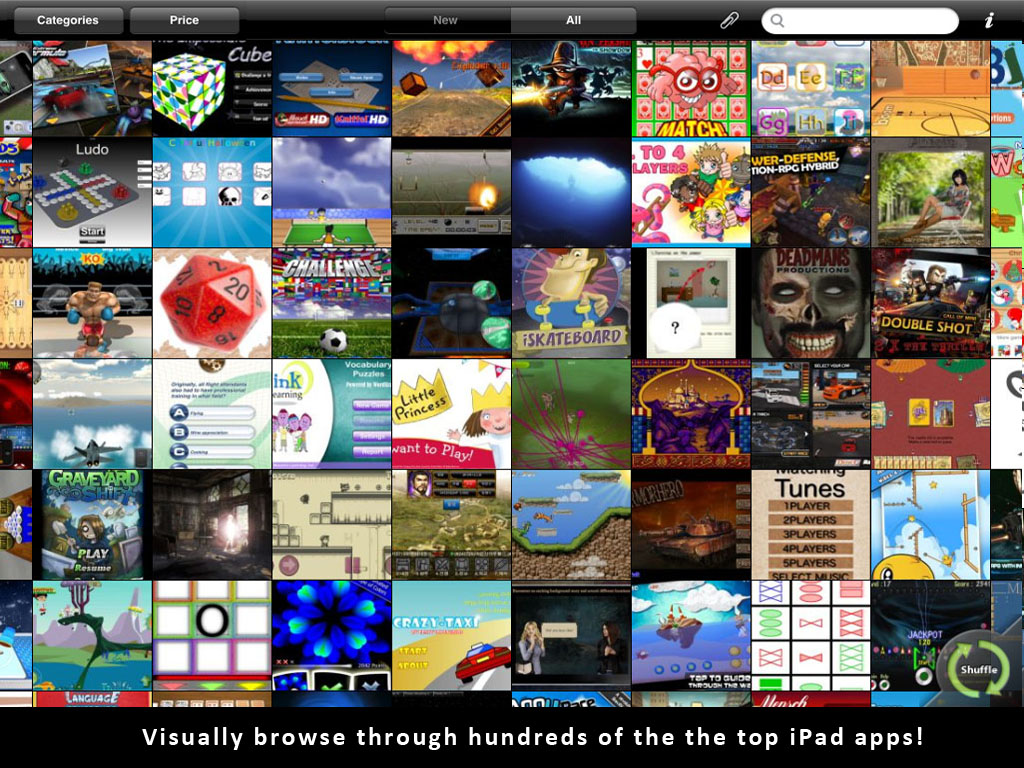
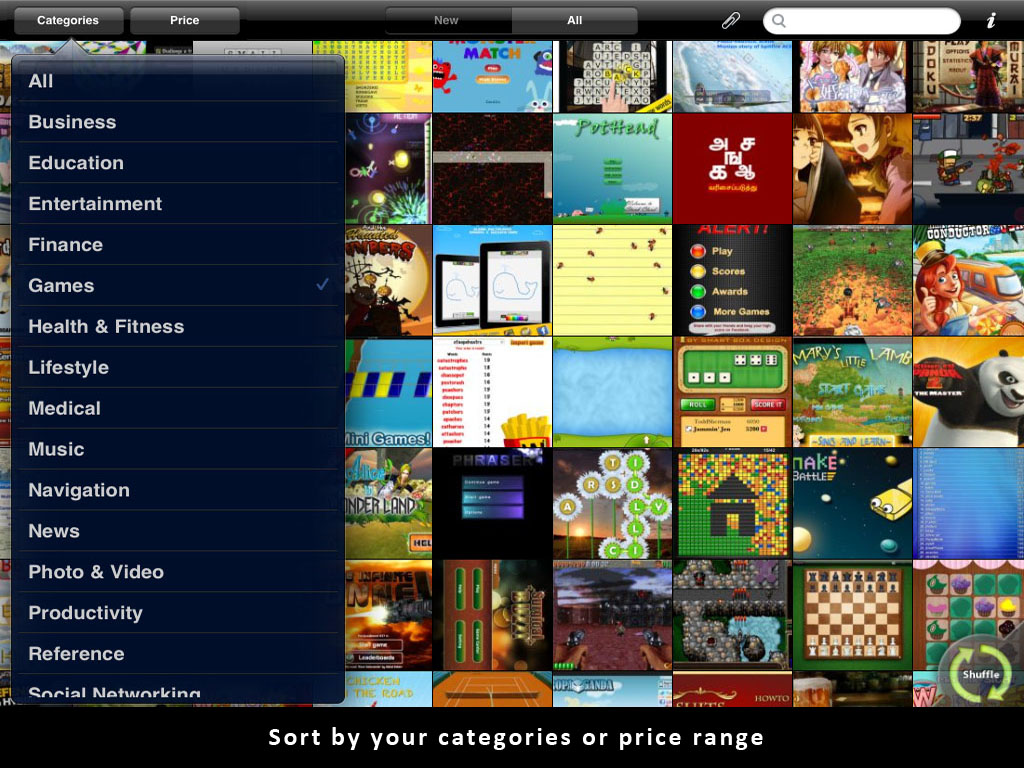
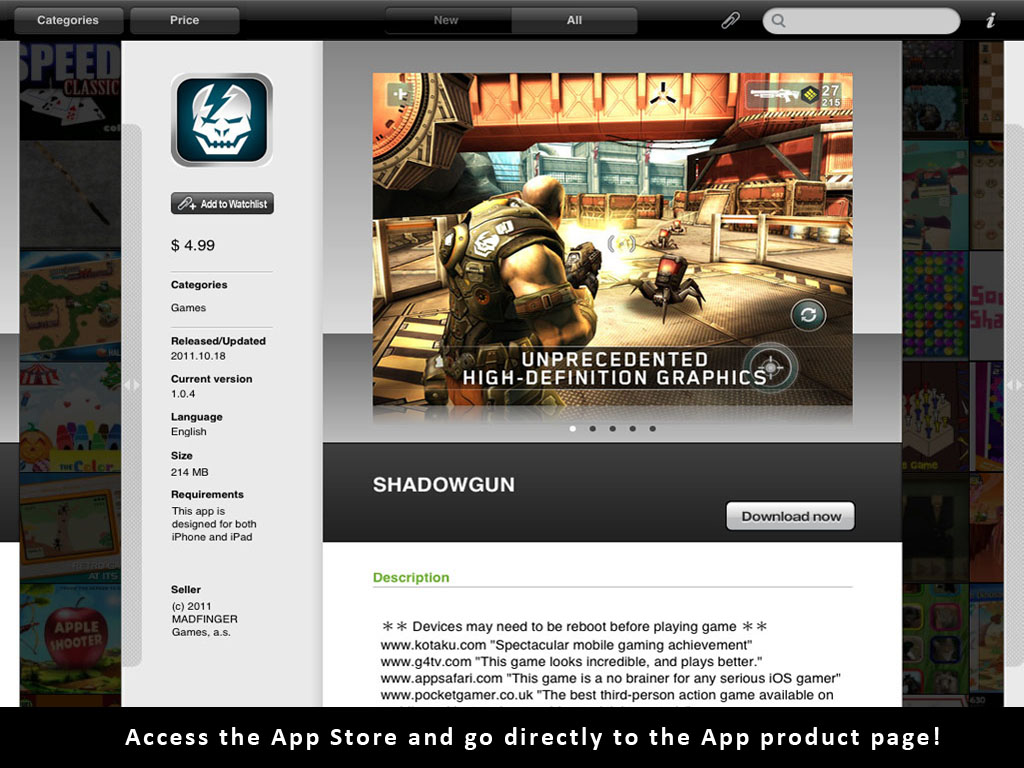
- Discover New Apps with Meeti: Visual Search for App Discovery From: prMac Mailer
- 21.
- MadCap 1.5 for iOS - Swinging Weasel Tosses Tomato-Armed Chipmunks From: prMac Mailer
- 22.
- Align Within Guided Meditations for iPhone - New Help for Life Flow From: prMac Mailer
- 23.
- Feed the Monster Family iPhone Game App Released From: prMac Mailer
- 24.
- KiPoint for iPad - a Breakthrough Point of Sale System Released From: prMac Mailer
- 25.
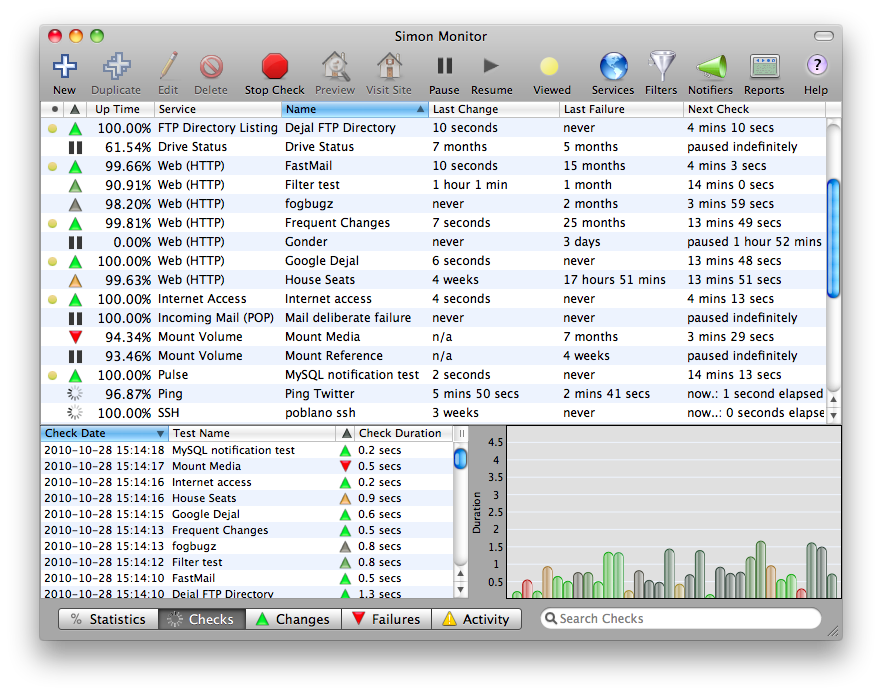
- Dejal announces Simon 3.3 - Server Monitoring Tool From: prMac Mailer
Messages
- 1.
-
iPhone Cyber-Bully App Reaches 3 Million Users
Posted by: "prMac Mailer" prservices@prmac.com
Tue Dec 6, 2011 4:30 am (PST)
iPhone Cyber-Bully App Reaches 3 Million Users - Published on 12/06/11
IMMEDIATE RELEASE
Arizona based developer, Dapper Gentlemen are grinning over their app Ugly Meter, which is being touted as an alleged "Bully Tool". As the app gains popularity, parental groups and media outlets alike are outraged that the app, which takes a picture and scans it using facial recognition, generates derogatory and hurtful comments based on your 'ugliness score.' Ugly Meter has reached the 3 million downloads mark in the iTunes app store and shows no sign of slowing down.
Gilbert, Arizona - Dapper Gentlemen are grinning over their app Ugly Meter, which is being touted as an alleged "Bully Tool". Ugly Meter has reached the 3 million downloads mark in the iTunes app store and shows no sign of slowing down. As the app gains popularity, parental groups and media outlets alike are outraged that the app, which takes a picture and scans it using facial recognition, generates derogatory and hurtful comments based on your 'ugliness score.'
"Your face looks like it was in the dryer with a bunch of rocks" it might say, or "When you walk past a bathroom, the toilet flushes." These remarks and photos can then be posted on social media networks like Facebook or Twitter, possibly without the victim knowing.
Stephen Balkam, CEO of Washington based Family Online Safety Institute told the New York Post: "I can see that the guys who programmed it were having a bit of fun and all ... If you're 25, 26 or 28, this sort of thing could be quite funny or amusing. But in the hands of a 14- or 15-year-old, it could be quite the reverse."
Now that the Ugly Meter has reached the 3 million users mark, bullies are allegedly using it nationwide in many of our public schools, most likely under the radar of school administrators and staff.
The Harvard Crimson posits that the key is not censorship, but education. "The existence of the Ugly Meter application does make clear the increased need to educate kids about technology as the age at which individuals are exposed to the Internet and applications steadily becomes younger. ... In the school environment, educators should also look out for their students' well-being."
Dr. Gwenn O'Keeffe, author of "Cybersafe: Protecting and Empowering Kids in the Digital World of Texting, Gaming and Social Media", seems to agree. "There's a fine line between teasing and razzing one another, ... [This app] is just hurtful. It could have crushing blows on kids with low self-esteem. There's just nothing good that could come from an app like this."
Awareness Technologies, a cyber-tool development company that many parents use to monitor their child's online activities, issued a warning to parents saying, "A newly released $0.99 iPhone app called "The Ugly Meter" is the latest tool that creates opportunities for cyber-bullying, the online pandemic causing severe emotional and psychological pain to children across the nation. ... Apps like The Ugly Meter are ripe for cyberbullies to use in tormenting their peers."
So far the creators of the app insist that its purpose is for 'fun' and 'humorous purposes'. One of the creators, Jo Overline remarked to news outlets: "All of our insults are PG-rated. We kept it pretty clean on purpose. There will always be bullies out there and we can't control what they do. Parents need to take responsibility for their own children and stop trying to blame the media."
For better or for worse, in this modern age of instant messages and social media it's becoming more difficult to find a space not occupied by the thoughts and opinions of others.
Device Requirements:
* iPhone, 4G iPod touch
* iPad 2 Wi-Fi, and iPad 2 Wi-Fi + 3G
* Requires iOS 3.0 or later
* 11.1 MB
Pricing and Availability:
Ugly Meter 2.76 is $0.99 (USD) and available worldwide exclusively through the App Store in the Entertainment category. Promo codes are available for qualified reviewers. Please specify the website or blog you represent when making your request.
Ugly Meter 2.76: http://www.dappergentlemen.com/ uglymeter
Purchase and Download: http://itunes.apple.com/ app/ugly- meter/id38833648 5
Screenshot: http://dl.dropbox.com/u/527749/ screen%20shots/ uglymeter1. PNG
App Icon: http://dl.dropbox.com/u/527749/ screen%20shots/ icon_512. png
The Dapper Gentlemen are a duo of an app developer and graphic artist who use their combined talents to design iPhone, iPod touch and iPad applications. As children of the 80's, their inspiration comes from remakes of classic popular games from the past, but with modern updates to appeal to current gamers. Copyright (C) 2011 The Dapper Gentlemen. All Rights Reserved. Apple, the Apple logo, iPhone, iPod and iPad are registered trademarks of Apple Inc. in the U.S. and/or other countries.
###
Eugene Overline
Developer
480-222-3454
United States
jo@dappergentlemen.com
*******
Trackback URL: http://prmac.com/release- trackback. php?id=34879& ac=dTVcsIjs
Link To Article: http://prmac.com/release- id-34879. htm
Link To PDF: http://prmac.com/pdf/genpdf. php?id=34879
RSS Feed: http://prmac.com/rss-member- 8955.htm
Personal Press Release Page: http://prmac.com/member_ releases- id-8955.htm
*******
- 2.
-
GiftShopper 1.0 released for iOS - Stylish Gift Management App
Posted by: "prMac Mailer" prservices@prmac.com
Tue Dec 6, 2011 5:48 am (PST)
GiftShopper 1.0 released for iOS - Stylish Gift Management App - Published on 12/06/11
IMMEDIATE RELEASE
The Gamma Project today introduces GiftShopper 1.0, their new, stylish app for collecting, organizing and sharing your gift ideas. Ideal for Christmas, Hanukkah, birthdays, weddings, anniversaries, graduations and other special events, GiftShopper happily tracks your purchases and ensures that you stay within your gift giving budget. GiftShopper will keep all your gift ideas and spendings clear, organized and instantly comprehensible. You will never forget a person or a gift again.
Budapest, Hungary - The Gamma Project today is pleased to announce GiftShopper 1.0, their new, stylish app for collecting, organizing and sharing your gift ideas. The app tracks your purchases and ensures that you stay within your gift giving budget. It's ideal for Christmas, Hanukkah, birthdays, weddings, anniversaries, graduations and other special events.
GiftShopper will keep all your gift ideas and spendings clear, organized and instantly comprehensible. You will never forget a person or a gift again! GiftShopper shines in its simplicity of usage and design, while providing an outstanding user interface. With a clean user interface, the app includes no instructions for use; all operations are intuitive and trouble-free.
You can easily manage your gift lists in four simple steps. When first starting the application, you get a straightforward instruction to enter your gift budget. The app automatically retrieves your home currency from your device's settings, so you don't ever have to bother with it.
Once your budget is set, another hint will instruct you to add the persons you want to buy gifts to. The UI to enter the recipients is very lean and easy to use: you can type in a name, or select a person from the iPhone's Contacts, which is a handy addition. After adding the recipients, composing the gift list is also very simple: just add the gift's description, price and a photo - none of these are mandatory, though. For example you might want only to record the photo of the planned gift as an idea. When assigning photos to a gift you can take a photo or load an image from your Photos Library.
Once the gift list for a given person is ready, you can mark items as purchased by simply tapping on the circle icon. If all items are marked as purchased, the app will automatically mark the given person with a visible checkmark. This way you can instantly see whether you've bought all the planned gifts for everybody.
The main UI contains all the information you need to track your gift or souvenir spending. You can instantly see how many gifts you've purchased, and how much money you've spent by person and in total. The progress bar on the top shows how much you've spent from the planned budget, and it turns red if you've exceeded it. A nice feature is that you can share your gift lists via email. The email includes your gifting database as a nicely formatted html, in plain text and csv - the latter format can be edited in your preferred spreadsheet application.
Feature Highlights:
* Full iOS 5 compatibility
* Polished user interface, optimized for retina display
* Add persons directly from your iPhone's Contacts
* Manage your gift lists in an intuitive and easy way
* Assign photos to your gift items or ideas
* Simply tap gifts to mark them as "Purchased" / "Not yet purchased"
* Easily edit, reorder or delete persons or gifts
* Share your gift lists via email (html, csv and plain text)
* Many other things that will make your day brighter
"GiftShopper is your best companion when it comes to gift shopping and collecting gift ideas! With this app in your pocket, you can instantly check whether you are within the planned budget. You will never ever forget a person or a gift again." - stated Developer Karoly Nyisztor
Device Requirements:
* iPhone, iPod touch, and iPad
* Requires iOS 4.1 or later
* 1.9 MB
Pricing and Availability:
GiftShopper 1.0 is $1.99 USD (or equivalent amount in other currencies) and available worldwide exclusively through the App Store in the Finance category.
GiftShopper 1.0: http://itunes.apple.com/ app/giftshopper/ id482478535
Screenshot (Home Screen): http://a1.mzstatic.com/us/r30/ Purple/c6/ 21/c2/mzl. fvadmnqs. 320x480-75. jpg
Screenshot (Gift List): http://a5.mzstatic.com/us/r30/ Purple/c9/ 83/10/mzl. yckqwpqs. 320x480-75. jpg
Screenshot (Gift Details): http://a4.mzstatic.com/us/r30/ Purple/d6/ 15/d1/mzl. gzacygaf. 320x480-75. jpg
Screenshot (Mark Gifts): http://a3.mzstatic.com/us/r30/ Purple/c7/ fd/3f/mzl. ysghryxl. 320x480-75. jpg
Screenshot (Edit Gift): http://a4.mzstatic.com/us/r30/ Purple/df/ 73/72/mzl. lzfztisw. 320x480-75. jpg
Based in Budapest, Hungary, the Gamma Project team is an independent software company founded by Karoly Nyisztor. With their strong blend of design and development skills, Gamma's passion is to craft quality 3D games and applications for the iPhone. Copyright (C) 2004-2011 Gamma Project. All Rights Reserved. Apple, the Apple logo, iPhone, iPod, and iPad are registered trademarks of Apple Inc. in the U.S. and/or other countries.
###
Karoly Nyisztor
Media Contact
United States
nyk@nyisztorkaroly.org
Twitter Profile: http://twitter.com/gammaproject
*******
Trackback URL: http://prmac.com/release- trackback. php?id=34904& ac=dTVcsIjs
Link To Article: http://prmac.com/release- id-34904. htm
Link To PDF: http://prmac.com/pdf/genpdf. php?id=34904
RSS Feed: http://prmac.com/rss-member- 4173.htm
Personal Press Release Page: http://prmac.com/member_ releases- id-4173.htm
*******
- 3.
-
Hot New Holiday Dress Up Game for Girls on iPhone and iPad
Posted by: "prMac Mailer" prservices@prmac.com
Tue Dec 6, 2011 5:54 am (PST)
Hot New Holiday Dress Up Game for Girls on iPhone and iPad - Published on 12/06/11
IMMEDIATE RELEASE
Internet Design Zone today introduces Dress Up For Girls: Holidays 1.0, their new stylish dress up game developed exclusively for iPhone, iPad and iPod touch. Girls between ages 5-25 can show their style sense by giving a virtual girl a pretty and lovable makeover for Christmas, New Year and other holidays. With a number of dresses, accessories, hairstyles and more available as options, girls can display the final photos as wallpapers or use them as images in their iPhone contacts.
Mumbai, India - Internet Design Zone, an iOS app developer company, today is pleased to announce their latest iPhone/iPad app, Dress Up For Girls: Holidays. This app is the perfect dress up game for girls for the Holiday season. Girls can show off their sense of style and fashion by creating hot new looks for Christmas, New Year and other holidays.
In this holiday dress up game, girls can give the virtual girl a pretty and lovable makeover for Christmas with the different dresses and accessories. Or a hot party look for New Years Eve. Other holiday themes include Easter, St.Patrick's day and Halloween. There are options to change hairstyles, dresses, tops, jackets, skirts, handbags, belts, jewelry, shoes, hats, glasses, skin complexion, etc. Girls can mix, match and create hundreds of hot stylish combinations/looks with the holiday themes, accessories and dresses available.
Girls could create their own virtual avatar and keep it as their wallpaper on their iPhone, iPad or iPod touch. They can also compete with their girl friends to see who can create the hottest looks. A girl could also create avatars matching the personalities of her friends and choose the photos as display pics in the iPhone contacts. The image will show up whenever the friend calls. Girls will love making a style statement this Christmas with this app. The app can be used round the year for different holidays.
Benefits / Features:
* Free to download and try out
* 5 Holidays to choose from: New Year, Christmas, Easter, St. Patrick's Day and Halloween
* Over 300 different options available including dresses, skirts, pants, tops, jackets, hairstyles, purses, shoes, sunglasses, jewelry, bracelets, bags and other stuff
* 100s of different looks possible for every holiday
* Can use the final images as wallpapers or as display pics for contacts on iPhone
* New Year Dress Up theme can be used for free. Remaining 4 holidays are available via a single in-app purchase
* Very easy to understand and use
* Girls between ages 5-25 will love this app
Device Requirements:
* iPhone, iPod touch, and iPad
* Requires iOS 3.0 or later
* 15.4 MB
Pricing and Availability:
Dress Up For Girls: Holidays 1.0 is free and available worldwide exclusively through the App Store in the Games category.
Dress Up For Girls: Holidays 1.0: http://www.dressup-apps.com/ holidays. php
Download from iTunes: http://itunes.apple.com/ app/dress- up-for-girls- holidays/ id479140755
Screenshot 1: http://www.dressup-apps.com/ screenshots/ holscr1.jpg
Screenshot 2: http://www.dressup-apps.com/ screenshots/ holscr4.jpg
Screenshot 3: http://www.dressup-apps.com/ screenshots/ holscr5.jpg
Screenshot 4: http://www.dressup-apps.com/ screenshots/ holscr3.jpg
Founded in 2004 in Mumbai, India, Internet Design Zone has been developing websites and mobile applications. It has developed more than 60 iOS apps. The company is currently developing fun apps for kids and adults alike. Copyright (C) 2011 Internet Design Zone. All Rights Reserved. Apple, the Apple logo, iPhone, iPod and iPad are registered trademarks of Apple Inc. in the U.S. and/or other countries.
###
Aditya Mohatta
Partner
India
screene@gmail.com
*******
Trackback URL: http://prmac.com/release- trackback. php?id=34881& ac=dTVcsIjs
Link To Article: http://prmac.com/release- id-34881. htm
Link To PDF: http://prmac.com/pdf/genpdf. php?id=34881
RSS Feed: http://prmac.com/rss-member- 11799.htm
Personal Press Release Page: http://prmac.com/member_ releases- id-11799. htm
*******
- 4.
-
Garage Sale PRO 1.0 automatically displays local garage sales
Posted by: "prMac Mailer" prservices@prmac.com
Tue Dec 6, 2011 5:56 am (PST)
Garage Sale PRO 1.0 automatically displays local garage sales - Published on 12/06/11
IMMEDIATE RELEASE
Austin based Mother Tucker, LLC today introduces Garage Sale PRO 1.0, their new GPS-based garage sale search app for iPhone, iPad and iPod touch devices. Garage Sale PRO will show users the latest garage sales going on in their area and helps them locate them using a Google map. Just launch Garage Sale PRO to view garage sales going on in your area. There's no setup required by this app. In addition, Garage Sale PRO gives users Favorites and multiple types of views for their search results.
Austin, Texas - Mother Tucker, LLC today is pleased to announce Garage Sale PRO 1.0 for iPhone and iPod touch. Garage Sale PRO is a GPS-based garage sale search app that show users the latest garage sales going on in their area and helps them locate them using a Google map. Version 1.0 is the first release
Designed originally for iPhones, Garage Sale PRO finds the latest garage sales going on in your area and helps you locate them using a Google map. The most significant feature is displaying nearby results to users without requiring any setup. In addition, Garage Sale PRO gives users Favorites and multiple types of views for their search results.
Features:
* Just launch Garage Sale PRO to view garage sales going on in your area - There's no setup required
* Auto detects nearby garage sales site based on your current location
* Tap a thumbnail for a full-screen preview [navigate to the previous / next listing using a left / right swipe]
* Tap the Grid icon to browse results like you browse photos with the built-in Photos App
* Tap the Map icon for a map of Garage Sales [Geocoding by Yahoo!]
* Tap a star to put a listing in your Favorites
* Favorites with editable notes and a Map & Thumbnail view
* Portrait and landscape views for every screen
* Save images from the Slideshow and Web Browser to your Photos Album
* In-App Mail with attachments
Device Requirements:
* iPod touch 3G or later, iPhone 3GS or later
* iOS 5.0 or higher
* 3.7 MB Hard Drive space
Pricing and Availability:
Garage Sale PRO 1.0 is only $0.99 USD (or equivalent amount in other currencies) and available worldwide exclusively through the App Store in the Lifestyle category.
Mother Tucker: http://www.mothertuckerllc.com
Garage Sale PRO 1.0: http://itunes.apple.com/ app/garage- sale-pro/ id483707545
Screenshot: http://www.mothertuckerllc.com/ garagesalepro/ screen1.png
App Icon: http://www.mothertuckerllc.com/ garagesalepro/ Icon512.png
Located in Austin, TX, Mother Tucker, LLC was founded in 2009 by Raymond Perez and Nicole Tucker Perez. Mother Tucker, LLC develops software for iOS devices including many that were featured by Apple. Copyright (C) 2011 Mother Tucker, LLC. All Rights Reserved. Apple, the Apple logo, iPhone, iPod and iPad are registered trademarks of Apple Inc. in the U.S. and/or other countries.
###
Raymond Perez
Owner
United States
mothertuckerllc@gmail.com
Twitter Profile: http://twitter.com/mothertucker llc
*******
Trackback URL: http://prmac.com/release- trackback. php?id=34873& ac=dTVcsIjs
Link To Article: http://prmac.com/release- id-34873. htm
Link To PDF: http://prmac.com/pdf/genpdf. php?id=34873
RSS Feed: http://prmac.com/rss-member- 10719.htm
Personal Press Release Page: http://prmac.com/member_ releases- id-10719. htm
*******
- 5.
-
Voyage - The Esssential Travel App for Canadians
Posted by: "prMac Mailer" prservices@prmac.com
Tue Dec 6, 2011 6:01 am (PST)
Voyage - The Esssential Travel App for Canadians - Published on 12/06/11
IMMEDIATE RELEASE
Ontario based GloboTrac today announces Voyage 1.2, an update to their popular tourism app for iOS devices. Voyage provides travel reports and country facts for over 200 countries around the world with a Canadian perspective. This useful app provides Canadian travellers with everything they need to know to stay safe, make the most out of their travels, and ensure they have a smooth journey to almost any corner of the world. Version 1.2 includes government info updated in real-time.
Ottawa, Ontario, Canada - GloboTrac, an emerging application developer focused on creating a diverse array of mobile utilities, has today announced a recent update of Voyage for iPhone, iPad, and iPod touch devices running on iOS 4.0 or later. A unique traveller's resource that includes detailed information on more than two hundred countries, this useful app provides Canadian travellers roaming abroad with everything they need to know to stay safe, make the most out of their travels, and ensure they have a smooth journey to almost any corner of the world they choose to go. Newly updated, version 1.2 of this app includes government info updated in real-time. Voyage v. 1.2 is currently available for download on the Apple App Store for $0.99 in the Travel category.
Employing an easy-to-navigate interface that categorizes information by country, Voyage divides each nation's guides divided into unique concise sections. This straight forward structure guarantees that users are able to find the facts and information they need quickly without having to sift through scores of irrelevant content to get there.
Each Travel Report in Voyage includes twelve unique sections - Recent Updates, Warnings and Recommendations, Safety & Security, Entry/Exit Requirments, Government Contacts, Travel Health, Laws and Customs, Currency, Natural Disasters and Climate. Voyage also provides travellers interesting country facts such as the People's History, Culture, Politics, Geography, Economy, Media and Map.
With its recent update Voyage is now more practical than ever. The app now offers users the comfort of knowing that all included official travel reports are automatically integrated with their original government source and updated in real-time. With Voyage, getting all the facts and information you need to know before, during, and after your adventures around the world is as easy as turning on your iPhone, iPad or iPod touch.
Device Requirements:
* iPhone, iPod touch, and iPad
* Requires iOS 4.0 or later
* 2.2 MB
Pricing and Availability:
Voyage 1.2 is $0.99 CND (or equivalent amount in other currencies) and available worldwide exclusively through the App Store in the Travel category.
GloboTrac: http://www.globotrac.com
Voyage 1.2: http://www.globotrac.com/voyage
Purchase and Download: http://itunes.apple.com/ app/voyage/ id454712322
Screenshot: http://www.globotrac.com/images/ voyage_preview. png
App Icon: http://www.globotrac.com/images/ can-icon114X114. png
GloboTrac is a Canadian company that specializes in the development of mobile application. GloboTrac's team has decades of experience developing a wide variety of applications from client-server, web applications to mobile applications. (C) GloboTrac 2011. All Rights Reserved. Apple, the Apple logo, iPhone, iPod and iPad are registered trademarks of Apple Inc. in the U.S. and/or other countries.
###
Marc Regimbal
President
1-613-853-3760
Canada
admin@globotrac.com
*******
Trackback URL: http://prmac.com/release- trackback. php?id=34912& ac=dTVcsIjs
Link To Article: http://prmac.com/release- id-34912. htm
Link To PDF: http://prmac.com/pdf/genpdf. php?id=34912
RSS Feed: http://prmac.com/rss-member- 15829.htm
Personal Press Release Page: http://prmac.com/member_ releases- id-15829. htm
*******
- 6.
-
i.Menu Expo 2012 and iMenu Magazine: The Future of Hospitality
Posted by: "prMac Mailer" prservices@prmac.com
Tue Dec 6, 2011 6:02 am (PST)
i.Menu Expo 2012 and iMenu Magazine: The Future of Hospitality - Published on 12/06/11
IMMEDIATE RELEASE
The only Dining Tablet Menu Technology Expo, the i.Menu Expo had over 45k people walk through their inaugural exposition at the IHMRS Show in New York City a few weeks back. The i.Menu Expo is designed for hospitality owners looking for new solutions using the tablet technology, tablet accessories, tablet interactive touchscreens, web-based applications, cloud services and mobile merchant payment partners as their new menu system and business back-end office solution.
Cape Coral, Florida - The i.Menu Expo had over 45k people walk through their inaugural exposition at the IHMRS Show in New York City a few weeks back. iMenu Expo: It's the only Dining Tablet Menu Technology Expo. The i.Menu Expo is designed for hospitality owners looking for new solutions using the Tablet technology (like the Apple iPad or Android Tablets), Tablet Accessories, Tablet Interactive TouchScreens, Web-based Applications, Cloud Services and Mobile Merchant Payment Partners as their new menu system and business back-end office solution.
The iMenu Expo will feature software developers (Apps), Innovative Accessory Makers and hardware vendors from all over North America showcasing their business solutions for the hospitality industry. Come see the developers and accessory makers in our own theatre presentation area demoing their products and solutions.
The iMenu Expo is designed for:
* Hospitality owners looking to access experts in the field
* Learning about dining tablets and new technology vendors
* Networking with the leaders in the hospitality industry
* Finding cost-effective ways to improve productivity and improve company bottom lines
We have partnered with shows coming up in Vancouver, Toronto and Wisconsin for early 2012. Please join us at the following Expos:
Vancouver - i.Menu Expo will be co-located at the CRFA's BC Foodservice Expo on January 29-30, 2012.
Toronto - i.Menu Expo will be co-located at the CRFA's Toronto Foodservice Expo on March 4-6, 2012.
Wisconsin - i.Menu Expo will be co-located at the Wisconsin Restaurant Expo on March 12-14, 2012.
Exhibitors and Sponsors
We are very interested in having your company exhibit or sponsor the i.Menu Expo shows. Special exhibitor pricing packages are available.
Coming Soon:
iMenu Magazine - The Future of Hospitality
In January 2012, we are also launching i.Menu Magazine - The Future of Hospitality, which will be distributed at all i.Menu Expos and large hospitality shows throughout North America.
i.Menu Magazine is published for restaurant/hospitality owners/managers looking for new solutions using the Tablet technology (Like the Apple iPad or Android Tablets), Tablet Accessories, Web-based Applications, Cloud Services, Interactive Touchscreen Tabletops and Mobile Merchant Payment Partners as their new menu system and business back-end office solution.
The publishing guide is targeted at the hospitality business community and restaurant professionals. i.Menu is the only magazine on the market that focuses exclusively on Dining Tablet applications and solutions to help maximize workplace productivity. We talk to the experts to provide our readers with valuable information on everything they need to know about the top-rated apps for hospitality, new innovative products, application features, tips and tricks, interviews from industry professionals - and much more.
Longstanding, respected industry experts from the hospitality market write the articles in i.Menu Magazine. Our dedicated team of professionals consistently provides our readers with insightful articles that focus on the latest information in the world of hospitality technology business applications. If interested in advertising rates or product reviews, please download our media kit.
i.Menu Expo: http://www.imenuexpo.com/iMenu_ Expo/Welcome. html
Media Kit (pdf): http://www.imenuexpo.com/mediakit20 12.pdf
Vancouver Exhibitor Kit (pdf): http://www.imenuexpo.com/imenubc. pdf
Toronto Exhibitor Kit (pdf): http://www.imenuexpo.com/imenutoron to.pdf
Wisconsin Exhibitor Kit (pdf): http://www.imenuexpo.com/imenuwisco nsin.pdf
Inaugural Pictures: http://www.imenuexpo.com/ihmrs/ i.Menu_IHMRS/ i.Menu_Expo. html
The i.Menu Expo is a designed for restaurant/hospitality owners/managers looking for new solutions using the Tablet technology, tablet accessories, web-based applications, cloud services, interactive touchscreen tabletops and mobile merchant payment partners as their new menu system and business back-end office solution. The Expo will have software developers, Innovative Accessory Makers, & hardware vendors from all over North America showcasing their business solutions for the restaurant industry. Come see the developers and accessory makers in our own theatre presentation area demoing their products and solutions during our expo. The Expo is created for the hospitality associates who are looking to access experts in this field, learn about dining tablets and new technology vendors, network with the leaders in the hospitality industry and to find cost-effective ways to improve productivity and improve company bottom lines. Copyright (C) 2011 i.Menu Expo. All Rights Reserved. Apple,
the Apple logo, iPhone, iPod and iPad are registered trademarks of Apple Inc. in the U.S. and/or other countries.
###
Carmine De Santo
Manager
416-907-8410
United States
cdesanto@imenuexpo.com
Facebook Profile: http://www.facebook.com/pages/ IBusiness- Magazine/ 167340356618670
LinkedIn Profile: http://www.linkedin.com/groups/ iBusiness- Magazine- Only-Applerelate d-Business- 3452113?trk= myg_ugrp_ ovr
Twitter Profile: http://twitter.com/# !/ibizmag
*******
Trackback URL: http://prmac.com/release- trackback. php?id=34911& ac=dTVcsIjs
Link To Article: http://prmac.com/release- id-34911. htm
Link To PDF: http://prmac.com/pdf/genpdf. php?id=34911
RSS Feed: http://prmac.com/rss-member- 12606.htm
Personal Press Release Page: http://prmac.com/member_ releases- id-12606. htm
*******
- 7.
-
A New Visual iPad App For Learning Multiplication Tables
Posted by: "prMac Mailer" prservices@prmac.com
Tue Dec 6, 2011 6:20 am (PST)
A New Visual iPad App For Learning Multiplication Tables - Published on 12/06/11
IMMEDIATE RELEASE
Independent developer Esa Helttula today is pleased to introduce Multiplication Table 1.0, the 15th of his math instruction apps for the iPhone, iPod touch, and iPad in the popular iDevBooks series. It provides a unique visual way to learn and study the multiplication tables. The user can explore the multiplication table in four different ways: Table, Groups, Multiples, and Solve.
Espoo, Finland - Independent developer Esa Helttula today is pleased to introduce Multiplication Table 1.0, the 15th of his math instruction apps for the iPhone, iPod touch, and iPad in the popular iDevBooks series. It provides a unique visual way to learn and study the multiplication tables.
The user can explore the multiplication table in four different ways:
* Table: Explore the multiplication table in various ways.
* Groups: See the multiplications as visualizations.
* Multiples: See how each number has an unlimited number of multiples.
* Solve: Scramble and solve the multiplication table.
The app has been well received by educators and parents. In Wired.com GeegDad review article Jenny Williams wrote: "I highly recommend it for any kid who is learning their multiplication tables, or who needs a more visual way to approach the subject."
"The aim of the app is to increase the intrinsic motivation of a student to learn the multiplication table." commented Esa Helttula. " There are no quizzes, badges, or timers in this app. The app is impossible to explain in words, you have to use it or at least see the video of it."
Device Requirements:
* iPad
* iOS 3.2 or later
* 3.9 MB
Pricing and Availability:
Multiplication Table 1.0 is only $3.99 (USD) and available worldwide exclusively through the App Store in the Education category. Review copies are available upon request.
iDevBooks: http://idevbooks.com/
Multiplication Table 1.0: http://idevbooks.com/apps/ multiplication_ table.php
Purchase and Download: http://itunes.apple.com/ app/multiplicati on-table/ id457381162
YouTube Video: http://www.youtube.com/watch? v=kIGsT2uUJp4& feature=youtu. be
Screenshot 1: http://idevbooks.com/apps/ table_images/ screen-4. png
Screenshot 2: http://idevbooks.com/apps/ table_images/ screen-3. png
Esa Helttula is an independent developer located in Espoo, Finland. He specializes in apps for iPad, iPhone, and iPod touch that help teach math skills. He is formerly an algorithm visualization researcher at the university of Tampere in Finland. Copyright (C) 2010 Esa Helttula. All Rights Reserved. Apple, the Apple logo, iPad, iPhone and iPod are registered trademarks of Apple Inc. in the U.S. and/or other countries.
###
Esa Helttula
Developer
Finland
esa.helttula@kolumbus. fi
*******
Trackback URL: http://prmac.com/release- trackback. php?id=34914& ac=dTVcsIjs
Link To Article: http://prmac.com/release- id-34914. htm
Link To PDF: http://prmac.com/pdf/genpdf. php?id=34914
RSS Feed: http://prmac.com/rss-member- 4224.htm
Personal Press Release Page: http://prmac.com/member_ releases- id-4224.htm
*******
- 8.
-
Makanim for iPhone and iPad - Graphic Multitouch App - Fun, Relax an
Posted by: "prMac Mailer" prservices@prmac.com
Tue Dec 6, 2011 6:30 am (PST)
Makanim for iPhone and iPad - Graphic Multitouch App - Fun, Relax and VJ - Published on 12/06/11
IMMEDIATE RELEASE
Paris based creative studio, Appakabar today introduces Makanim - Multi-touch Generative Art v1.0 for iOS, its new app for creating amazing animations. Designed for iPad and compatible with iPhone and iPod touch, Makanim is a particle generator with editable presets and parameters. This app allows anyone to create endless combinations of visual effects by changing colors, shapes, speed, size and more. Users can spend hours discovering the different ways to animate shapes.
Paris, France - Appakabar today presents its first application: Makanim, a multi-touch app for making animations of colored shapes. Makanim is available on the AppStore for iPad and iPhone since november 22th, 2011.
Makanim is an artistic multi-touch particle generator. Touch the screen with one to six fingers and forms will come to life. The menu bar at the bottom of the screen allows to edit in real-time 2 from 7 parameters: animation mode, start color, end color, shape, size of the shape, speed and chaos. The chaos recipe is a wise combination of variables. Makanim permits to make screenshots, stored in the photo library, or to project animations on an external display using a HDMI or VGA adapter (VGA/HDMI output is only available on iPad 2 and iPhone 4S). Makanim is a powerfull application that can both entertain and relax everyone. The shapes will swirl, flutter, entangle, flit around fingers!
Makanim is not the first app for particle generation, those are plenty and various. Relaying on its graphic and development experience, Appakabar wants to do something different. Makanim is simple, with numerous graphic possibilities. The controls are easy to use. For exemple, the handling of the colors is not as usual the three sliders Red, Green, Blue, but a simple select list of pictograms that represent tints or mix of tints. The same type of control is used for the shape and the mode.
The first screen allows to preview the 48 presets with a pagination. The presets are easy to visualize. Select one and a new screen appears where the animation is auto played. Open the pop-up to choose the parameter to edit, use the controls to change it in real-time. The expert mode allows to hide the menu bar and play with full screen. The FAQ for Makanim is available at Appakabar online.
Highlights:
* Thousands of possible combinations
* Animation presets as thumbnails
* Edit preset in real time
* Use up to 6 fingers gesture
* 10 animation modes
* 25 original shapes
* 33 arrangements of colors
* 48 editable presets
Features:
* Multi-touch graphic generator of particles
* Switch between modes, shapes, start and end colors
* Control the speed, size and magic chaos
* Screenshot button to save images to your photo library
* Expert mode : hide/show the menu bar
* Limit the number of fingers to avoid interference with iPad multi-touch 4/5 fingers gesture
* Saving of user presets
* Animation auto-play
Everybody can use Makanim, at home for fun, at a party or on stage for VJing, during live performances for creating animations on the fly. Enjoy an amazing graphic experience with Makanim.
Device Requirements:
* iPhone, iPad, or iPod touch
* Requires iOS 4.3 or later
* Universal app optimized for display on all iOS devices
* 1.6 MB
Pricing and Availability:
Makanim 1.0 is $1.99 (USD) and available worldwide exclusively through the App Store in the Entertainment category.
Appakabar: http://appakabar.com
Makanim 1.0: http://appakabar.com/app,makanim, presentation. html
Purchase and Download: http://itunes.apple.com/ app/makanim- multi-touch- generative/ id481789849
YouTube Video: http://youtube.com/watch? v=m5zh2dQ_ EVg
App Icon: http://a1.mzstatic.com/us/r1000/ 072/Purple/ ec/51/cc/ mzl.smbxjojl. 175x175-75. jpg
Press Kit (zip): http://appakabar.com/media/ press/makanim- v1-press- kit.zip
Appakabar is a creative studio based in Paris, France, focused on the development of graphic applications. The emergence of tactile devices is a trigger: those playful systems offer new opportunities to build innovative tools by making the user experience more attractive. That's why Appakabar is here: to offer enjoyable and playful applications. Copyright (C) 2011 Appakabar. All Rights Reserved. Apple, the Apple logo, iPhone, iPod and iPad are registered trademarks of Apple Inc. in the U.S. and/or other countries.
###
Aurelie Mercier
Co-founder, Designer
+ 33 6 25 518 861
France
aurelie@appakabar.com
Facebook Profile: http://www.facebook.com/# !/pages/Appakabar/135442206546712? sk=wall
Twitter Profile: http://twitter.com/app_for_ ipad
*******
Trackback URL: http://prmac.com/release- trackback. php?id=34876& ac=dTVcsIjs
Link To Article: http://prmac.com/release- id-34876. htm
Link To PDF: http://prmac.com/pdf/genpdf. php?id=34876
RSS Feed: http://prmac.com/rss-member- 17494.htm
Personal Press Release Page: http://prmac.com/member_ releases- id-17494. htm
*******
- 9.
-
MultiFrame - Photo Collage Creation for iOS Made Easy
Posted by: "prMac Mailer" prservices@prmac.com
Tue Dec 6, 2011 6:32 am (PST)
MultiFrame - Photo Collage Creation for iOS Made Easy - Published on 12/06/11
IMMEDIATE RELEASE
Apalon is happy to announce the release of their latest title called MultiFrame, a simple yet powerful photo collage making tool for iOS devices. MultiFrame is a perfect app for everyone wishing to create professionally looking photo collages with a few swipes of the finger. With the ever growing quality of camera phone images and abundance of photo editing applications, casual photographers often get lost in the tons of effects and filters, trying to achieve the most visually appealing result.
New York, New York - Apalon has just announced the release and worldwide availability of the MultiFrame application, a simple yet powerful photo collage making tool for iOS devices. The app boasts clear interface and sleek design combined with thoroughly selected features that won't let the users go wrong with their creations.
MultiFrame is a perfect app for everyone wishing to create professionally looking photo collages with a few swipes of the finger. With the ever growing quality of camera phone images and abundance of photo editing applications, casual photographers often get lost in the tons of effects and filters, trying to achieve the most visually appealing result. A simple and well-designed interface of MultiFrame lets users choose among the carefully selected variety of border styles, filters and frame designs, guarantying an unchangeably stunning masterpiece at the output. The whole process of taking or choosing a photo, selecting the frame, embellishing the collage with a fancy border, applying effects and editing images for the better look becomes simple, quick and fun!
An impressive range of sharing possibilities adds to the features of the app that would definitely be enjoyed both by pros and wannabe photographers. MultiFrame lets users instantly share the red-hot masterpiece across multiple social networks, save it on the device or send it by email all from one single screen within the app.
"We wanted to come up with an easy to use tool that would let users create great looking photo collages even if they have no clue of the photo editing basics. And I'm sure that we've managed to achieve the initial goal. MultiFrame is an extremely intuitive app that is not overwhelming users with the confusing features galore, rather gently guiding them through the collage creation process." -said Peter Melnikov, VP of Apalon.
Device requirements:
* Compatible with iPhone, iPod touch, and iPad
* Requires iOS 3.0 or later
* 12.8 MB
Pricing and Availability:
MultiFrame 1.0 is $0.99 USD (or equivalent amount in other currencies) and available worldwide exclusively through the App Store in the Photo and Video category.
Apalon: http://www.apalon.com/
MultiFrame 1.0: http://www.apalon.com/multiframe. html
Purchase and Download: http://itunes.apple.com/ app/multiframe- tell-story- photos/id4723050 40
App Icon: http://a3.mzstatic.com/us/r30/ Purple/f1/ 6d/f1/mzm. cmqsilel. 175x175-75. jpg
Press Kit (zip): http://www.apalon.com/multiframe_ press_kit. zip
Apalon is a leading mobile and game development studio that delivered numerous successful iOS titles, mainly in the Entertainment, Utilities and Lifestyle categories. Founded as a mobile development and game development outsourcing company in 2006, Apalon eventually turned to the development of its own products, successfully exploiting years of technical knowledge and experience. In 2009 Apalon expanded its scope of activities with iPhone App Marketing services, becoming one of the pioneers in the sphere. Copyright (C) 2011 Apalon. All Rights Reserved. Apple, the Apple logo, iPhone, iPod and iPad are registered trademarks of Apple Inc. in the U.S. and/or other countries.
###
Olga Vakulenko
PR
914-613-3583 ext.99
United States
olga.vakulenko@apalon.com
*******
Trackback URL: http://prmac.com/release- trackback. php?id=34916& ac=dTVcsIjs
Link To Article: http://prmac.com/release- id-34916. htm
Link To PDF: http://prmac.com/pdf/genpdf. php?id=34916
RSS Feed: http://prmac.com/rss-member- 2060.htm
Personal Press Release Page: http://prmac.com/member_ releases- id-2060.htm
*******
- 10.
-
New Christmas Coloring Book App for Kids on iPhone, iPad and iPod to
Posted by: "prMac Mailer" prservices@prmac.com
Tue Dec 6, 2011 6:36 am (PST)
New Christmas Coloring Book App for Kids on iPhone, iPad and iPod touch - Published on 12/06/11
IMMEDIATE RELEASE
iOS development company, Internet Design Zone today introduces Christmas Coloring For Kids 1.0 for iOS, their new Christmas coloring book app developed exclusively for iPhone, iPad or iPod touch. A fun app for kids to play with during this Christmas Holiday season, with Christmas Coloring For Kids they can color their favorite Christmas characters and objects. A kid's finger becomes the paintbrush. Color Santa Claus, Snowmen, Christmas decorations, Xmas tree, angels, Santa's helpers and more.
Mumbai, India - Internet Design Zone, an iOS app developer company, today is very happy to announce their new iPhone/iPad app: Christmas Coloring For Kids. This coloring book app is a very good way to keep kids busy this holiday season. While children are coloring Christmas images with their fingers, this app will also help kids to develop their creative and artistic skills.
Most small kids like drawing and coloring. Normal coloring books are available aplenty on the app store. But this coloring app has images just for the holiday season. Kids will love this app because they get to color Santa Claus, Snowmen, Christmas decorations, Xmas tree, angels, Santa's helpers, etc. A kid's finger becomes the paintbrush. Parents will be happy to see their kids use their free holiday time in a creative way. Parents need not even search for a separate holiday activity or buy expensive coloring books and art materials. Parents can simply download the app and get a ready to use Christmas coloring book for their kids.
Why kids will love this app:
* It's full of Christmas characters and objects Perfect for the holiday season
* Colorful and attractive pictures
* 6 categories and 50 images to choose from
* Colors can be changed with a finger touch
* Completed pictures can be saved and used as wallpapers
Why parents will love this app:
* No need to get paper coloring books this holiday season
* Kids will be busy for hours coloring and enjoying themselves
* Kids may develop an interest in drawing and painting
* No need to search for another Christmas craft or activity
Features:
* Totally Free to try out Snowman section is free
* For kids between 3-12 years
* Child friendly interface
* 3 different brush sizes to color or erase
Device Requirements:
* iPhone, iPod touch, and iPad
* Requires iOS 4.0 or later
* 21.3 MB
Pricing and Availability:
Christmas Coloring For Kids 1.0 is free and available worldwide exclusively through the App Store in the Games category. The first section of the app is free, with the other 5 available sections via an in-app purchase. For parents searching for Christmas apps for kids, this app may be the ideal pick.
Christmas Coloring For Kids 1.0: http://www.internetdesignzone. com/iphone/ christmascolorin g/
Download from iTunes: http://itunes.apple.com/ app/christmas- coloring- for-kids/ id482873351
Screenshot 1: http://www.internetdesignzone. com/iphone/ christmascolorin g/2.jpg
Screenshot 2: http://www.internetdesignzone. com/iphone/ christmascolorin g/4.jpg
Screenshot 3: http://www.internetdesignzone. com/iphone/ christmascolorin g/5.jpg
Screenshot 4: http://www.internetdesignzone. com/iphone/ christmascolorin g/3.jpg
Founded in 2004 in Mumbai, India, Internet Design Zone has been developing websites and mobile applications. It has developed more than 60 iOS apps. The company is currently developing fun apps for kids and adults alike. Copyright (C) 2011 Internet Design Zone. All Rights Reserved. Apple, the Apple logo, iPhone, iPod and iPad are registered trademarks of Apple Inc. in the U.S. and/or other countries.
###
Aditya Mohatta
Partner
India
screene@gmail.com
*******
Trackback URL: http://prmac.com/release- trackback. php?id=34915& ac=dTVcsIjs
Link To Article: http://prmac.com/release- id-34915. htm
Link To PDF: http://prmac.com/pdf/genpdf. php?id=34915
RSS Feed: http://prmac.com/rss-member- 11799.htm
Personal Press Release Page: http://prmac.com/member_ releases- id-11799. htm
*******
- 11.
-
Mergemill Pro 4.2 Breaks Barriers to Help Users Do More in Less Time
Posted by: "prMac Mailer" prservices@prmac.com
Tue Dec 6, 2011 6:37 am (PST)
Mergemill Pro 4.2 Breaks Barriers to Help Users Do More in Less Time - Published on 12/06/11
IMMEDIATE RELEASE
Hong Kong based Cross Culture Ltd announces today Mergemill Pro 4.2, an update to their versatile data processing and static website generation tool. The release helps users get more work done in less time than before. Mergemill Pro can now easily process over a million data rows, limited by the physical memory of the user's computer. The software has also been highly optimized to complete its tasks up to 100-times faster.
Hong Kong - Cross Culture today is pleased to announce Mergemill Pro 4.2, an update to their versatile data processing and static website generation tool. The release brings important bug fixes, and helps users get more work done in less time than before. Mergemill Pro can now easily process over a million data rows, limited by the physical memory of the user's computer. The software has also been highly optimized to complete its tasks up to 100-times faster.
"It's our high priority to bring quality and efficiency improvements important to our users," said Vitus Chak, Managing Director of Cross Culture Ltd. "Breaking the data size and speed barriers is our latest effort to boost our users' productivity. The current release processes data up to 100-times faster than earlier versions, and maintains its speed as the volume of data increases."
Database users may use Mergemill Pro to cleanse and de-duplicate data to improve data quality. They may use it to do survey by email without a website, and automate the conversion of text file formats between CSV, XML, and tab-delimited text. The program also enables users to easily migrate data between ODBC-compliant databases.
Web publishers may use Mergemill Pro to reap the many benefits of generating static web pages, analyze web logs to obtain crucial stats of their website traffic, and freely test and learn powerful regular expressions. They may automate the conversion of text file character encoding, monitor web page changes automatically, and send customized and personalized emails to opt-in lists. The program enables users to turn web text, emails and generated content into speech in near-natural voices for podcasts or automated voice announcements, and to extract important web data at scheduled times to update their websites accordingly.
Mergemill Pro takes diverse sources of data, such as databases, web pages, e-mails and more, and then merges them with templates to produce the desired output, from web pages to customized e-mails. The program features powerful data-processing capabilities such as data filters, multi-level data sorting, BASIC scripting, and multiple search-and-replace actions. It supports Unicode and other text encodings, and has project scheduling and auto-run functionality. Users can control output in templates through scripting with tags for content insertion, arithmetic expressions, looping, branching, statistic calculations and for marking text blocks for variable assignment or special output actions.
Pricing and Availability:
Mergemill Pro 4.2 is available for Macs running OS X 10.5 or higher and PCs running Windows XP or above. It can be purchased online from Cross Culture's website for the retail price of $99 (USD). The update is free for registered users of all previous versions.
Cross Culture: http://www.crossculture.com. hk
Mergemill Pro 4.2: http://www.mergemill.com
Download Mergemill Pro: http://www.mergemill.com/downloads. htm
Mergemill Pro Purchase: https://www.regnow.com/ softsell/ nph-softsell. cgi?item= 11660-1
Screenshot: http://www.mergemill.com/images/ pr_screenshot. png
App Icon: http://www.mergemill.com/images/ pr_appicon. png
Cross Culture Limited provides quality database solutions since 1995, and is committed to bringing the best software tools to users around the world. Copyright (C) 1995-2011 Cross Culture Limited. All Rights Reserved. Apple, the Apple logo and Macintosh are registered trademarks of Apple Inc. in the U.S. and/or other countries.
###
Vitus Chak
Managing Director
+852 26370154
Hong Kong
vitus@crossculture.com.hk
*******
Trackback URL: http://prmac.com/release- trackback. php?id=34913& ac=dTVcsIjs
Link To Article: http://prmac.com/release- id-34913. htm
Link To PDF: http://prmac.com/pdf/genpdf. php?id=34913
RSS Feed: http://prmac.com/rss-member- 13923.htm
Personal Press Release Page: http://prmac.com/member_ releases- id-13923. htm
*******
- 12.
-
Gradient for OS X - The Missing Link between Web Designers and Color
Posted by: "prMac Mailer" prservices@prmac.com
Tue Dec 6, 2011 6:46 am (PST)
Gradient for OS X - The Missing Link between Web Designers and Colors - Published on 12/06/11
IMMEDIATE RELEASE
A shiny new tool for web designers by Jumpzero that streamlines the creation of CSS3 gradients. After a successful beta testing, Gradient is now on the App Store, polished and refined. A tiny application that helps designers save tons of time by taking care of the tedious task of writing all the vendor prefixes they will ever need. What is left to do is picking the perfect colors and copy the generated code. Done.
Voghera, Italy - Jumpzero is proud to announce Gradient 1.0 for Mac OS X their time-saving tool for web designers. Gradient streamlines the creation of CSS3 gradients by taking care of writing the vendor prefixes needed to build a gradient that's compatible with all modern browsers (and older ones too).
You only need to pick the colors you're after from your mockups (or fill the fields in the input pane) and tweak the gradient properties, selecting linear or radial type and deciding the direction or the center position. The rest is taken care of by the application and what's left is copying the resulting code and pasting it in your text editor of choice.
With support for hot keys and a huge array of customization possibilities, Gradient is the fastest and simplest Mac OS X application you will ever need to create CSS3 gradients.
"You won't find a web designer alive who doesn't cringe at the process of creating CSS3 gradients for the various modern browsers and Internet Explorer. It's incredibly tedious, but, thanks to Gradient, this task now takes seconds!" Jeffrey Way, NetTuts
"Writing out gradients by hand with all the appropriate vendor prefixes is tedious, error prone, and a waste of time. For simple two color gradients (the majority of use cases) Gradient App is the perfect tool." Chris Coyier, CSS-tricks
Gradient 1.0 Features:
* Custom system-wide Color picker (alongside standard color window)
* RGB, HEX and HSL input and output with Alpha trigger
* Linear and radial gradients
* Code preview and prefix selection
* Keyboard shortcuts for lightning fast gradient creation
And more time-saving features are already in the works for future releases, like:
* Multi-step Gradients
* More positioning options
* SASS output
Stystem Requirements:
* Mac OS X Version 10.6 Snow Leopard or higher
* Intel CPU, 64-bit
Pricing and availability:
Gradient is available for download right now from the Mac App Store at the introductory price of $4.99 (USD).
Jumpzero: http://jumpzero.com
Gradient 1.0: http://gradientapp.com
Purchase on the Mac App Store: http://itunes.apple.com/ app/gradient/ id481981128
Screenshot 1: http://a1.mzstatic.com/us/r1000/ 069/Purple/ d9/f4/6c/ mzl.ppooszev. 800x500-75. jpg
Screenshot 2: http://a1.mzstatic.com/us/r1000/ 074/Purple/ de/bd/4b/ mzl.yuehmsla. 800x500-75. jpg
App Icon: http://a1.mzstatic.com/us/r1000/ 078/Purple/ cb/3c/8e/ mzi.tumupdly. 175x175-75. png
Located in foggy northern Italy, Jumpzero was founded in late 2010 by Nicola Armellini and Yari D'areglia and has been specializing since then in crafting OS X and iOS applications with tireless attention to details and loving care. All Material and Software (C) 2011 Jumpzero / All Rights Reserved. Apple, the Apple logo, iPod, the iPod logo, are registered trademarks of Apple Computer in the U.S. and/or other countries.
###
Nicola Armellini
Co-Founder / Designer
Italy
hello@jumpzero.com
Twitter Profile: http://twitter.com/jumpzero
*******
Trackback URL: http://prmac.com/release- trackback. php?id=34920& ac=dTVcsIjs
Link To Article: http://prmac.com/release- id-34920. htm
Link To PDF: http://prmac.com/pdf/genpdf. php?id=34920
RSS Feed: http://prmac.com/rss-member- 17486.htm
Personal Press Release Page: http://prmac.com/member_ releases- id-17486. htm
*******
- 13.
-
MusicStatus for Facebook 1.0 - Share your Music Playlist to Facebook
Posted by: "prMac Mailer" prservices@prmac.com
Tue Dec 6, 2011 7:00 am (PST)
MusicStatus for Facebook 1.0 - Share your Music Playlist to Facebook - Published on 12/06/11
IMMEDIATE RELEASE
16 Year Old App Developer, James Shaw today introduces MusicStatus for Facebook 1.0 for iPhone and iPod touch. MusicStatus is a fantastic App to let your Facebook friends know what music you're currently listening to on your iDevice! With the sleek interface you can easily access your device's music library and then post the song, artist and album names directly to your Facebook wall as your status! With MusicStatus you can easily tell the world about your current mood with your music life!
Scarborough, United Kingdom - MusicStatus for Facebook is a fantastic App to let your Facebook friends know what music you're currently listening to on your iPhone or iPod!
With the sleek, easy to use interface you can easily access your device's music library and then post the song, artist and album names directly to your Facebook wall as your status!
Simply run MusicStatus to automatically load the information of the song you are listening to. When the next song starts playing while the app is still running, it will automatically reload the song information. You can even view the current playing song's album artwork directly within the App!
With MusicStatus for Facebook, you can easily tell the world about your current mood with your music life!
Main Features:
* Post your current song information to Facebook (song, artist and album).
* View the album's artwork in the App.
* Sleek, easy to use interface.
* Change song and volume directly within the App.
* Access your Device's music library directly within the App.
Device Requirements:
* iPhone, iPod touch
* Requires iOS 5.0 or later
* 3.0 MB
Pricing and Availability:
MusicStatus for Facebook 1.0 is 0.69 GDP ($0.99 USD) (or equivalent amount in other currencies) and is available exclusively for iOS on the App Store in the Social Networking category. Please enjoy the App and email us with any questions or problems.
JAS Applications: http://www.jasapplications.com
MusicStatus for Facebook 1.0: http://itunes.apple.com/ app/id483685408
YouTube Video (Trailer): http://www.youtube.com/watch? v=bQD7KnbA- wo
Screenshot 1: http://a1.mzstatic.com/us/r30/ Purple/f5/ 49/3c/mzl. xufkxbrd. 320x480-75. jpg
Screenshot 2: http://a5.mzstatic.com/us/r30/ Purple/e2/ 4e/4d/mzl. xgacgdcn. 320x480-75. jpg
Screenshot 3: http://a1.mzstatic.com/us/r30/ Purple/f2/ dd/81/mzl. ocljjjwv. 320x480-75. jpg
JAS Applications headed by 16 Year Old James Shaw creates useful, intuitive Apps for iOS Devices. Our aim how we can develop amazing Apps to make the experience of for the consumer as pleasant and fun as we can. Copyright (C) 2011 JAS Applications. All Rights Reserved. Apple, the Apple logo, iPhone, iPod and iPad are registered trademarks of Apple Inc. in the U.S. and/or other countries.
###
James Shaw
Owner
United Kingdom
jasiphoneapps@googlemail. com
*******
Trackback URL: http://prmac.com/release- trackback. php?id=34919& ac=dTVcsIjs
Link To Article: http://prmac.com/release- id-34919. htm
Link To PDF: http://prmac.com/pdf/genpdf. php?id=34919
RSS Feed: http://prmac.com/rss-member- 9174.htm
Personal Press Release Page: http://prmac.com/member_ releases- id-9174.htm
*******
- 14.
-
ShotList App Helps Film And Video Makers To Plan Their Shoots
Posted by: "prMac Mailer" prservices@prmac.com
Tue Dec 6, 2011 7:02 am (PST)
ShotList App Helps Film And Video Makers To Plan Their Shoots - Published on 12/06/11
IMMEDIATE RELEASE
UK-based Soluble Apps announces ShotList 3.0, a new update to their professional-quality filmmaking scheduling tool for iOS devices. ShotList brings a Production Stripboard system to mobile devices for the first time, allowing the planning and tracking of every scene of a shoot as it happens. The new version adds faster navigation and scene filtering features requested by users, as well as a number of other fixes and enhancements.
Newcastle upon Tyne, United Kingdom - "ShotList" the unique app which allows filmmakers of all levels to schedule and track movie and video shoots from their mobile devices, gets a new update on the App Store to add features requested by its users.
Production stripboard systems have been used for many years to plan professional movie shoots, and ShotList is the first app to bring a standalone Stripboard system to Apple's App Store. Shotlist can also be used as a daily "To do" list on larger productions, keeping essential notes and storyboards in your pocket and tracking progress on the day of the shoot by checking off scenes and shots as they are completed.
ShotList enables you to:
* Track and schedule scripted drama, commercial shoots, radio production or videogame motion capture shoots from your mobile device
* Add, edit, delete or re-order scenes across a multi-day shoot.
* Update scene status as you shoot, ensuring a vital scene is not missed.
* Hold storyboard frames or reference images for each scene taken from your photo library or onboard camera.
* Store notes for each scene, with hotlinks for instant access to web addresses* or speed-dial of included phone numbers.
* Keep everyone informed of the latest changes by emailing out a current "one-line schedule" at the press of a button.
* Backup or exchange updated project files wirelessly with other ShotList users in your team with Dropbox(TM).
Version 3.0 of ShotList adds the ability to filter scenes with a certain combination of characters, locations and settings, faster navigation between scene strips with a simple swipe, and a number of other fixes and enhancements.
Peter Johnson, Lead Developer for Soluble Apps said "We think this update makes ShotList even easier to use, as the new features to sort and arrange your shoot by location, character etc. really help speed up the initial planning phase. It also helps identify where you may need to make changes if something unexpected affects a location or your cast availability. And the new navigation method makes it so much faster to check which scenes are coming up next on the day."
Device Requirements:
* iPhone, iPod touch, and iPad
* Requires iOS 3.2 or later
* 5.8 MB
Pricing and Availability:
ShotList 3.0 is $11.99 USD (or equivalent amount in other currencies) and available worldwide exclusively through the App Store in the Photo & Video category.
Soluble Applications: http://solubleapps.com
ShotList 3.0: http://www.solubleapps.com/shotlist
Purchase and download: http://itunes.apple.com/ app/id424885833
YouTube Video: http://www.youtube.com/watch? v=b_J8QhDSCXo
Splash Screen: http://solubleapps.files.wordpress. com/2011/ 06/screen1j. jpg
Press Kit: http://solubleapps.com/shotlist- press-images/
Soluble Applications is a development studio targeting mobile devices. The studio was founded in Newcastle Upon Tyne in 2010 by Peter Johnson, a seasoned veteran with over 25 years' experience in the videogames industry as programmer, producer and studio head working on console titles for world-leading games publishers including 2K Games, Atari and Ubisoft. Copyright (C) 2011 Soluble Applications. All Rights Reserved. Apple, the Apple logo, iPhone, iPod and iPad are registered trademarks of Apple Inc. in the U.S. and/or other countries.
###
Peter Johnson
Lead Developer
United Kingdom
shotlist@solubleapps.com
Facebook Profile: http://www.facebook.com/pages/ Soluble-Apps/ 152596054780379? sk=wall
LinkedIn Profile: http://www.linkedin.com/company/ 1860679?trk= tyah
Twitter Profile: http://twitter.com/# !/SolubleApps
*******
Trackback URL: http://prmac.com/release- trackback. php?id=34921& ac=dTVcsIjs
Link To Article: http://prmac.com/release- id-34921. htm
Link To PDF: http://prmac.com/pdf/genpdf. php?id=34921
RSS Feed: http://prmac.com/rss-member- 11643.htm
Personal Press Release Page: http://prmac.com/member_ releases- id-11643. htm
*******
- 15.
-
Betel Nut Games releases Dog Park: Top Dog for the iPhone and iPad
Posted by: "prMac Mailer" prservices@prmac.com
Tue Dec 6, 2011 7:04 am (PST)
Betel Nut Games releases Dog Park: Top Dog for the iPhone and iPad - Published on 12/06/11
IMMEDIATE RELEASE
Betel Nut Games is proud to announce the release of Dog Park: Top Dog for the iPhone, iPad, and iPod touch on December 6th, 2011. Dog Park is a light-hearted but challenging arcade strategy game where the player controls a dog who is looking to claim the most territory in a park by peeing on various objects. Become top dog of the city and get the other breeds you meet to join your dog pack by conquering all four neighborhoods in the city, spread across 12 dog parks.
Chicago, Illinois - Betel Nut Games is proud to announce the release of Dog Park: Top Dog for the iPhone, iPad, and iPod touch on December 6th, 2011. Dog Park is a light-hearted but challenging arcade strategy game where the player controls a dog who is looking to claim the most territory in a park by peeing on various objects. The dog that claims the most territory before the timer runs out wins!
Become top dog of the city and get the other breeds you meet to join your dog pack by conquering all four neighborhoods in the city, spread across 12 dog parks. The more neighborhoods you can claim, the more dogs that will join your pack, each with their own playing style and attributes. Earn high scores and in-game currency by playing with the more difficult to master breeds. In-game currency can be spent at the Dog Shop where you can buy upgrades to use in the game that alter your dog's canine skills. Purchase ear muffs to protect yourself against barks, grab a water bottle so you won't get dehydrated, or munch on some asparagus to really mark your territory! If that's not enough the player can also compete in 28 unique bonus maps with plans for more to be added over time!
Game Features:
* 15 unlockable breeds of dogs to play as
* 4 different map packs, each with its own obstacles and enemy dogs
* 12 story-mode maps and 28 bonus maps
* Win coins to buy power-ups that boost your canine skills
* Worldwide leaderboards through Game Center
* Universal Support
* Retina Display graphics
Minimum Device Requirements:
* iPhone 3GS, iPod touch 3rd Generation, or iPad
* Requires iOS 3.2 or later
* 17.5 MB
Pricing and Availability:
Dog Park: Top Dog 1.0 is available worldwide exclusively through the App Store for an initial sales price of $0.99 (USD). If you are interested in reviewing Dog Park: Top Dog please contact us to receive a free download code.
App Partner Development: http://www.apppartner.com/
Dog Park: Top Dog 1.0: http://www.betelnutgames.com/ #portfolio
Purchase and Download: http://itunes.apple.com/ app/dog-park- top-dog/id481105 799
YouTube Video (Trailer): http://www.youtube.com/watch? v=CPhVzpCrwC4& feature=channel_ video_title
Screenshot: http://www.apppartner.com/DPGSS1. PNG
App Icon: http://www.apppartner.com/DPIcon. png
App Partner Development, based out of New York City, was founded in 2011 to offer high-quality mobile application development services. Our motto is 'Communication Driven Results' because we believe that the best way to achieve our clients' long term goals is to understand what they hope to achieve. Once we understand that we can then provide our expertise in app development to help them achieve it. Copyright (C) 2011 App Partner LLC. All Rights Reserved. Apple, the Apple logo, iPhone, iPod and iPad are registered trademarks of Apple Inc. in the U.S. and/or other countries.
###
Drew Johnson
Co-Owner
646-723-2324
United States
DJohnson@AppPartner.com
Facebook Profile: http://www.facebook.com/pages/ Glam-Booth/ 216608381718981
Twitter Profile: http://twitter.com/GlamBooth
*******
Trackback URL: http://prmac.com/release- trackback. php?id=34918& ac=dTVcsIjs
Link To Article: http://prmac.com/release- id-34918. htm
Link To PDF: http://prmac.com/pdf/genpdf. php?id=34918
RSS Feed: http://prmac.com/rss-member- 14751.htm
Personal Press Release Page: http://prmac.com/member_ releases- id-14751. htm
*******
- 16.
-
Monkey Christmas 1.0 - A New iPhone/iPod App For Kids And Family
Posted by: "prMac Mailer" prservices@prmac.com
Tue Dec 6, 2011 7:08 am (PST)
Monkey Christmas 1.0 - A New iPhone/iPod App For Kids And Family - Published on 12/06/11
IMMEDIATE RELEASE
Smartoonz released a new entertaining application: from the colorful TV show "Monkey See Monkey Do", Monkey and his friends are here to celebrate the holidays with you! "Monkey Christmas" is a Free easy to use greeting postcards maker for the Holidays. You can easily create a Christmas greeting postcards of you, Monkey or his friends. Save and share your postcard with your friends and family using email or facebook. Monkey See Monkey Do is a colorful, upbeat CG animated kid's series.
Los Angeles, California - Smartoonz, one of the leading children's content development companies, has just released a new entertaining application, for Apple iPhone and iPod touch.From the TV show "Monkey See Monkey Do", Monkey and his friends are here to celebrate the holidays with you!
"Monkey Christmas" is a Free easy to use greeting postcards maker for the Holidays.
*You can easily create a Christmas greeting postcards of you, Monkey or his friends. save and share your postcard with your friends and family using email or facebook.
The new app was developed by Snappsi, produced by Smartoonz and powered by iPhSoft.
Application Highlights:
* 8 different highly designed backgrounds
* 6 different animals from the show that you can scale and place on the postcard.
* You can save and share the postcard with your friends and family by email or facebook.
In App purchase support:
* Additional 99 greeting cards credits for only $0.99/0.59/Euro0.79
Device requirements:
* Compatible with iPhone and iPod touch (3G )
* iOS 4.0 or higher
* 4.7 MB
Pricing and Availability:
Monkey Christmas 1.0 is Free and available exclusively at the Apple App Store worldwide in the Entertainment category. In App purchase support available for $0.99 USD
Contact info:
For press inquiries, promo code requests, and any other questions, please support.
Monkey See Monkey Do is a colorful, upbeat CG animated kid's series which encourages children to engage with the show's characters through dance. The show is successfully broadcasted by major TV channels, including Playhouse Disney Latam, PBS Kids Sprout, France 5, TVA, TVO, Knowledge, Minimax, Hop!, PBS Thailand.
Smartoonz: http://smartoonz.co
Monkey See Monkey Do: http://monkeyseemonkeydo.co
Monkey Christmas 1.0: http://monkeyseemonkeydo.co/ apps-xmas/
Download from iTunes: http://itunes.apple.com/ app/monkey- christmas/ id481582312
Screenshot: http://monkeyseemonkeydo.co/ wp-content/ uploads/2011/ 12/XmasApp1. png
App Icon: http://monkeyseemonkeydo.co/ wp-content/ uploads/2011/ 02/Monkey- Xmas-iCon- Cropped.png
Smartoonz is an international content development company that produces smart, entertaining programs for children - toddlers, preschoolers and preteens.To fulfill the interests and needs of kids at each age-level, we collaborate with a team of early learning development specialists at every step, from concept to final product. Smartoonz offers children fun, laughs and magic while expanding their creativity, knowledge, reasoning, social development and motor skills. Smartoonz creative programming encourages active viewing and incorporates bonding opportunities for children and their parents. Smartoonz produces multi-platform content comprised of a TV/online series, games, mobile games and interactive applications. Copyright (C) 2011 Smartoonz. All Rights Reserved. Apple, the Apple logo, iPhone, iPod and iPad are registered trademarks of Apple Inc. in the U.S. and/or other countries.
###
Yuval Levy
CEO
United States
yuval@smartoonz.tv
Facebook Profile: http://www.facebook.com/monkeyseeyo u
Twitter Profile: http://twitter.com/monkeyseeyou
*******
Trackback URL: http://prmac.com/release- trackback. php?id=34917& ac=dTVcsIjs
Link To Article: http://prmac.com/release- id-34917. htm
Link To PDF: http://prmac.com/pdf/genpdf. php?id=34917
RSS Feed: http://prmac.com/rss-member- 11770.htm
Personal Press Release Page: http://prmac.com/member_ releases- id-11770. htm
*******
- 17.
-
New iPhone App, Friends Map Lets You Pinpoint a Friends Location
Posted by: "prMac Mailer" prservices@prmac.com
Tue Dec 6, 2011 8:03 am (PST)
New iPhone App, Friends Map Lets You Pinpoint a Friends Location - Published on 12/06/11
IMMEDIATE RELEASE
Friends Map for Facebook takes a cool approach to maps, by letting you see your Facebook friends directly on a map, share your location, search for places around you, check-in to them as well as share a status update on your Facebook wall with a link to your location on a map. A little over a year ago, Facebook introduced Places, their location-based offering which was set to go head-to-head with Foursquare. In a turn of events, Facebook made a switch from "checking-in" to sharing nearby places.
Tel Aviv, Israel - A little over a year ago, Facebook introduced Places, their location-based offering which was set to go head-to-head with Foursquare. Fast forward to today. In a significant turn of events, Facebook made a switch from "checking-in" to sharing nearby places and more recently the purchase of GoWalla. But knowing where you are, is one thing, knowing how to get to where your friends are, is another. That's where the Friends Map for Facebook iPhone app comes in.
Friends Map for Facebook takes a cool approach to maps, by letting you see your Facebook friends directly on a map, share your location, search for places around you, check-in to them as well as share a Facebook status update with a link to your location on a map.
Developers should also take note, AtlasCT, the developers of Friends Map for Facebook have said that they will be opening the API that will allow any developer to embed friends map and allow location sharing in their mobile or web apps. A perfect example of this is the Friends Map HTML5 page which works on any smartphone, accessible by pointing the mobile browser to friendsmap.me.
Notable Features Include:
Facebook Friends Map: See where all your Facebook friends are on a map.
Share Your Location: 1-Click and your Facebook friends will see you on a map.
Search Nearby Places: Find the nearest restaurants, cafe, hot nightlife and more.
Check in: Let your Facebook friends know that you've arrived at a certain location.
Device Requirements:
* iPhone, iPod touch, and iPad
* Requires iOS 4.2 or later
* 5 MB
Pricing and Availability:
Friends Map for Facebook 1.2.7 is only free and available worldwide exclusively through the App Store in the Social Networking category.
Friends Map for Facebook 1.2.7: http://www.friendsmap.me
Download from iTunes: http://itunes.apple.com/ app/friends- map-for-facebook /id461373808
Screenshot 1: http://www.friendsmap.me/content/ splash@2x. jpg
Screenshot 2: http://www.friendsmap.me/content/ main-v1.00. jpg
App Icon: http://www.friendsmap.me/content/ app_icon_ 512x512.png
Friends Map for Facebook is a product of AtlasCT Ltd. (1987) a global provider of APIs and Applications in the fields of maps and location-based services. The provider of mobile and web maps for Nokia, Yellow Pages, Dun Bradstreet and many more. Copyright (C) 2011 Friends Map for Facebook. All Rights Reserved. Apple, the Apple logo, iPhone, iPod and iPad are registered trademarks of Apple Inc. in the U.S. and/or other countries.
###
Yogev Triki
Chief Business Development Officer
Israel
yogev.triki@atlasct.com
Oren Todoros
CEO - AppsMarketing.mobi
972-52-759-6512
oren@appsmarketing.mobi
*******
Trackback URL: http://prmac.com/release- trackback. php?id=34923& ac=dTVcsIjs
Link To Article: http://prmac.com/release- id-34923. htm
Link To PDF: http://prmac.com/pdf/genpdf. php?id=34923
RSS Feed: http://prmac.com/rss-member- 6908.htm
Personal Press Release Page: http://prmac.com/member_ releases- id-6908.htm
*******
- 18.
-
Edipresse Asia - magazines now Live on Magzter
Posted by: "prMac Mailer" prservices@prmac.com
Tue Dec 6, 2011 8:04 am (PST)
Edipresse Asia - magazines now Live on Magzter - Published on 12/06/11
IMMEDIATE RELEASE
Edipresse Asia has launched its masthead publications on Magzter, the global digital newsstand. Edipresse readers can now browse, preview and purchase either single issues or subscriptions via Magzter. Several more Edipresse masthead publications are in the process of 'going live' on Magzter much to the delight of Edipresse readers across multiple countries in SE and S Asia including China, Singapore, Malaysia, Philippines, Thailand, Taiwan and India.
New York, New York - Edipresse Asia has launched its masthead publications including:
* Hong Kong Tatler
* Cotai Style
* Macau Tatler
* Hong Kong Tatler Homes
* Revolution Hong Kong
* Luxe Living
* Hong Kong Tatler Weddings
* Solitaire
... on Magzter, the global digital newsstand. Edipresse readers can now browse, preview and purchase either single issues or subscriptions via Magzter. These digital issues are immediately available to the readers on Apple and Android devices globally.
Several more Edipresse masthead publications are in the process of 'going live' on Magzter much to the delight of Edipresse readers across multiple countries in SE and S Asia including China, Singapore, Malaysia, Philippines, Thailand, Taiwan and India.
"With a burgeoning market of smart phone and tablet users, Asia is poised for significant growth in digital media over the next few years and Edipresse Asia is jumping into the market by signing up with Magzter, the global digital newsstand from New York. Readers will be able to browse Edipresse titles, preview publications and purchase single issues or subscriptions with the click of a button" said Girish Ramdas, Co-founder and CEO
"Editors of the various regional and city specific Tatlers can include specific multimedia clips and attract advertisers with the option of presenting their TV and multimedia ads directly within their magazines to readers. All of this has been made possible by the Magzter platform and the teams are excited about the opportunities this has opened up" said Vijayakumar Radhakrishnan, Co-founder and CTO
As the team gears up for the big splash launch, their readers are in for the digital experience of a lifetime - and this is only the start!
Device Requirements:
* iPhone, iPod touch, and iPad
* Requires iOS 4.0 or later
* 2 MB
Pricing and Availability:
Magzter 1.1.1 is free and available worldwide exclusively through the App Store in the News category.
Magzter 1.1.1: http://www.magzter.com/
Edipresse Asia � Magazines: http://www.magzter.com/publishers/ Edipresse- Hong-Kong
Download From iTunes: http://itunes.apple.com/ app/magzter- the-global- mobile/id4121639 53
Download From Android Market: https://market.android.com/ details?id= com.dci.magzter
Screenshot 1: http://a5.mzstatic.com/us/r1000/ 113/Purple/ ec/b3/65/ mzl.ipgzymvs. 480x480-75. jpg
Screenshot 2: http://www.magzter.com/magazine/ Hong%20Kong% 20Tatler% 20Homes/2/ images/original/ large_HKTatler% 20homes%20cover. jpg
Magzter Inc., based in New York, has created a global digital and mobile magazine store and newsstand which allows publishers to easily publish to Apple and Android Devices in addition to allowing readers to check out the magazines online for those who don't have these devices. Magzter allows readers to easily buy new magazines, subscribe to them and view multimedia links and video content among other cool content. Magzter Inc. has sales offices in USA and India. Copyright (C) 2011 Magzter Inc. All Rights Reserved. Apple, the Apple logo, iPhone, iPod and iPad are registered trademarks of Apple Inc. in the U.S. and/or other countries.
###
Srikanth Rajagopalan
Head � Marketing and Sales - India, SE Asia
United States
srikanth@magzter.com
Vijayakumar Radhakrishnan
Co-founder and CTO - Magzter, The Digital Magazine Store
press@magzter.com
*******
Trackback URL: http://prmac.com/release- trackback. php?id=34922& ac=dTVcsIjs
Link To Article: http://prmac.com/release- id-34922. htm
Link To PDF: http://prmac.com/pdf/genpdf. php?id=34922
RSS Feed: http://prmac.com/rss-member- 4417.htm
Personal Press Release Page: http://prmac.com/member_ releases- id-4417.htm
*******
- 19.
-
Elliott Davis Embraces Bring Your Own Device Trend with mobilEcho
Posted by: "prMac Mailer" prservices@prmac.com
Tue Dec 6, 2011 8:15 am (PST)
Elliott Davis Embraces Bring Your Own Device Trend with mobilEcho - Published on 12/06/11
IMMEDIATE RELEASE
Accounting Firm Elliott Davis Embraces Bring Your Own Device (BYOD) Trend with mobilEcho. Software Secures Tablets and Files for IT While Empowering Increased Productivity for Mobile Employees. Elliott Davis wanted its employees to have access to files stored on the firm's server via their smartphones and tablets. However, security concerns, user interface issues, and complexity limited the options. Now, with mobilEcho, these devices can be used for more than ever before.
Arlington, Virginia and Greenville, South Carolina - GroupLogic, the industry's leading provider of software products that unlock the power of new enterprise platforms, announced today that Elliott Davis, an accounting services firm for more than 85 years, has implemented its Mobile File Management (MFM) software, mobilEcho. Although iPads and similar devices were already part of Elliott Davis's technology landscape, mobilEcho now gives its employees the freedom and the confidence to use these devices to their full potential.
Elliott Davis wanted its employees to have access to files stored on the firm's server via their smartphones and tablets. However, security concerns, user interface issues, and complexity limited the options. In the past, Elliott Davis employees were only able to access email, calendar, contacts and note-taking on mobile devices. Now, with mobilEcho, these devices can be used for more than ever before - documents can be updated and revised in real-time during meetings, which saves time and resources, and information can easily be accessed from the road.
"The iPad has been great as a way to consume content, but our executive staff wanted to do more, such as gain access to our internal network," said Bob Jamison, Chief Information Officer of Elliott Davis. "Until mobilEcho, we hadn't found a way to easily and securely extend files on our network. Now, they can pull any file they need, whenever they need it, from wherever they are, without any of our internal protocols being compromised."
"As an accounting firm, Elliott Davis deals with massive amounts of sensitive information every day. Information that cannot risk being compromised," said Anders Lofgren, Vice President of Product Management at GroupLogic. "Like many of our customers, we understand Elliott Davis's concern - they wanted to embrace the power of the iPad, but were cautious to do that without ensuring files would be secure. mobilEcho was developed for just that reason - to give IT the peace of mind they need so they can focus on more pressing issues at hand."
About Elliott Davis:
Elliott Davis is one of the largest accounting, tax and consulting services firms in the Southeast and ranks among the top 50 CPA firms in the U.S. With offices in SC, NC, GA and VA, the firm provides clients across a wide range of industries with smart, customized solutions and its people with rewarding opportunities. Founded in 1925, Elliott Davis is a member of The Leading Edge Alliance, an international professional association of independently owned accounting firms based in the U.S., and is strategically aligned with LEA Europe and LEA Asia Pacific, a worldwide network of more than 450 offices in 100 countries around the globe. For more information about Elliott Davis and its services, visit the Elliott Davis website.
GroupLogic: http://www.grouplogic.com
Elliott Davis: http://www.elliottdavis.com
mobilEcho: http://www.grouplogic.com/enterpris e-file-sharing/ ipad-file- system/
Free Trial: http://www.grouplogic.com/enterpris e-file-sharing/ ipad-file- system/free- trial.html
Purchase: http://www.grouplogic.com/store/
GroupLogic helps enterprise and education IT organizations simply and securely integrate diverse computing platforms into enterprise environments, connecting employees to enterprise files, content and assets to facilitate a more productive and efficient work environment. With more than two decades of experience, GroupLogic leads the marketplace in helping IT organizations effectively and easily manage the integration of Apple products into the enterprise ecosystem. Whether IT organizations are looking to integrate existing Apple assets, purchase additional Apple hardware like Macs and iPads, or want to take advantage of the hardware costs savings that accompany the adoption of IT consumerization, GroupLogic enables IT organizations to easily and securely manage the rapid integration of diverse platforms while ensuring resources are optimized. GroupLogic enables the enterprise to focus on what is really important-competitive differentiation, improved employee productivity, mitigated
risk and reduced costs. GroupLogic's proven products - ExtremeZ-IP, mobilEcho, ArchiveConnect, and MassTransit - are in use by some of the world's most innovative companies, including Christie's, International Greetings and Omnicom Group. Copyright (C) 2011 GroupLogic. All Rights Reserved. Apple, the Apple logo, iPhone, iPod and iPad are registered trademarks of Apple Inc. in the U.S. and/or other countries.
###
Jenny Viscarolasaga
Gabriel Marketing Group
United States
jviscarolasaga@gabrielmarketing .com
Facebook Profile: http://www.facebook.com/GroupLogic
LinkedIn Profile: http://www.linkedin.com/company/ 36170
Twitter Profile: http://twitter.com/grouplogic
Kristy Buige
Sales and Marketing Operations Manager
kristybuige@grouplogic. com
*******
Trackback URL: http://prmac.com/release- trackback. php?id=34924& ac=dTVcsIjs
Link To Article: http://prmac.com/release- id-34924. htm
Link To PDF: http://prmac.com/pdf/genpdf. php?id=34924
RSS Feed: http://prmac.com/rss-member- 824.htm
Personal Press Release Page: http://prmac.com/member_ releases- id-824.htm
*******
- 20.
-
Discover New Apps with Meeti: Visual Search for App Discovery
Posted by: "prMac Mailer" prservices@prmac.com
Tue Dec 6, 2011 8:19 am (PST)
Discover New Apps with Meeti: Visual Search for App Discovery - Published on 12/06/11
IMMEDIATE RELEASE
bestcreate corp. announces the immediate US release of Meeti, the visually based app discovery tool for iPad. Developed in Japan and featuring a stunning interactive display, this cutting edge app discovery platform allows users to explore the latest apps by browsing through a virtually endless number of screenshots. Easy to use, beautifully laid out, and original in its execution, Meeti is the hassle free app finding solution for those in the know.
Tokyo, Japan - bestcreate corp. announces the immediate US release of Meeti, the visually based app discovery tool for iPad. Developed in Japan and featuring a stunning interactive display, this cutting edge app discovery platform allows users to explore the latest apps by browsing through a virtually endless number of screenshots. Easy to use, beautifully laid out, and original in its execution, Meeti is the hassle free app finding solution for those in the know.
Meeti features a gorgeous tile layout of app screenshots that enables users to browse the most recently approved and updated apps straight from Apple. Simple 360-degree swiping and sorting by category lets iPad owners uncover and intuitively select new, interesting apps. Furthermore, Meeti will be released for free in the US App Store, allowing US users to experience this hit Japanese app at no cost.
Meeti features include:
* Avant-garde tile display that allows for visual sampling of new apps
* Smooth, 360-degree swipe capabilities
* Quick sort by category to suit specific interests
* One-click refreshing to quickly view a variety of the most recently released apps
* Interactive "Watchlist" lets users track their favorite apps for future updates
"Meeti is one of the most original and aesthetically pleasing app discovery tools on the market," said Yusuke Oasa, producer of the Meeti app. "While the visual aspect of Meeti brings in new users, it is the ease, user capabilities, and capacity for the latest apps from Apple that keeps users engaged over time. Simply put, Meeti is the premier visual search for app discovery, bar none."
Device Requirements:
* iPad
* Requires iOS 3.2 or later
* 1.7 MB
Pricing and Availability:
meet i 1.0 is free and available worldwide exclusively through the App Store in the Entertainment category.
meet i 1.0: http://itunes.apple.com/ app/meet- i-visual- search-for- ipad/id481680074
Screenshot 1: http://img.appular.com/Meeti/ SS1.jpg
Screenshot 2: http://img.appular.com/Meeti/ SS2.jpg
Screenshot 3: http://img.appular.com/Meeti/ SS3.jpg
YouTube Video (Trailer): http://www.youtube.com/watch? v=kBFQUXXLFcM
App Icon: http://img.appular.com/Meeti/ Icon.jpg
bestcreate corp. is in an affiliate advertisement and advertising agency that provides clients with clear and effective answers and unparalleled strategy in a rapidly changing mobile related industry. Copyright (C) 2011 bestcreate corp. All Rights Reserved. Apple, the Apple logo, iPhone, iPod and iPad are registered trademarks of Apple Inc. in the U.S. and/or other countries.
###
Michelle Lauren Addo
Press Contact
626.379.7682
United States
michelle@appular.com
Facebook Profile: http://www.facebook.com/meetiforiPa d
Twitter Profile: http://twitter.com/# !/jumvoapp
*******
Trackback URL: http://prmac.com/release- trackback. php?id=34925& ac=dTVcsIjs
Link To Article: http://prmac.com/release- id-34925. htm
Link To PDF: http://prmac.com/pdf/genpdf. php?id=34925
RSS Feed: http://prmac.com/rss-member- 5286.htm
Personal Press Release Page: http://prmac.com/member_ releases- id-5286.htm
*******
- 21.
-
MadCap 1.5 for iOS - Swinging Weasel Tosses Tomato-Armed Chipmunks
Posted by: "prMac Mailer" prservices@prmac.com
Wed Dec 7, 2011 12:00 am (PST)
MadCap 1.5 for iOS - Swinging Weasel Tosses Tomato-Armed Chipmunks - Published on 12/07/11
IMMEDIATE RELEASE
iCon today announces MadCap 1.5 for iOS, an update to their Arcade/Puzzle game that features a swinging weasel who, when the player chooses, tosses small chipmunks clutching large tomatoes at placid farm animals. Carrying special time bomb tomatoes, flying chipmunks may hit animals and bounce off, and have their tomato explode out of range of the animal. MadCap is a major step forward in the evolution of arcade games, combining airborne produce and launching a small animal at the proper angle.
Kiev, Ukraine - iCon today is pleased to announce MadCap 1.5 for iOS, an update to their Arcade/Puzzle game that features a swinging weasel who, when the player touches a button, tosses small chipmunks, clutching large tomatoes at placid farm animals. Carrying special time bomb tomatoes, flying chipmunks may hit animals and bounce off, and have their tomato explode out of range of the animal. MadCap is a major step forward in the evolution of arcade games, combining airborne produce and the launching of small animals at precisely the correct angle.
Following a memorable animated logo and introductory cutscene, MadCap introduces its cast of characters (targets). Bug-eyed and innocent, they include a: horse, cow, bull, turkey, pig, and sheep. They occasionally blink or express surprise, but mostly, they just stand there. Each level features one or more farmyard animals, each tucked away in a protected area of the puzzle. The goal of the game is to splatter every animal present in each level with at least one tomato. Since tomatoes cannot fly, a swinging weasel tosses (flying) chipmunks, each holding a tomato. The player must determine exactly the right moment for the weasel to release the chipmunk in order to hit the target animal.
This is not easy. First, the player must touch the tomato button, releasing the chipmunk, at precisely the right point in the weasel's swing, and this can be difficult to estimate and then execute. Second, players are called upon to accurately fire a chipmunk using two different methods: tossing it upwards to have it fall on the target, versus throwing it directly at the target. Third, each animal is protected in some way by the natural surroundings of the puzzle. He may be inside a cave, protected by blocks, or beneath a horizontal log. Finally, many puzzles include interactive obstacles, so that the player has to first unlock a switch with an exploding tomato, then activate the switch at the right time, which slides the barrier away momentarily, so the player can toss in a tomato.
Feature Highlights:
* Excellent graphics
* 108 amazing levels (will be more very soon)
* Cool sound effects
* Sweet animals
* Addicting gameplay
* Easy to understand, fun to play!
In the highly competitive ecosystem of iOS games, there is constant mutation and hybridization that leads to better games. MadCap includes a variation on the ultra-realistic game physics in Angry Birds, where players use a slingshot to hit targets. This game also requires players to use two different ballistic trajectories, parabolic and linear, to win. MadCap gameplay offers a very satisfying sense of aiming and firing, of pulling a trigger and watching the result. However, in MadCap the player has the pleasure of shooting once every two or three seconds, and a nearly unlimited number of times to complete the level. Thus, each level provides more gameplay, as well as a greater variety of scoring opportunities.
"Splattering farm animals with tomatoes has never been this much fun," stated a spokesman for Icon. "Command your own air force of flying chipmunks carrying time bomb tomatoes."
Device Requirements:
* iPhone 3GS/4/4S, iPod touch (3rd and 4th generation), and iPad (1 and 2)
* iOS 3.0 or later (iOS 5 tested)
* 52.7 MB
Pricing and Availability:
MadCap 1.5 is only $0.99 (USD) and is available worldwide exclusively through the App Store in the Games category. MadCap HD 1.4.2 for iPad is $1.99. MadCap 1.4 for OS X is $1.99. MadCap 1.4.2 and MadCap HD 1.4.2 are also available in a Free version. Review copies are available upon request.
iCon: http://www.iconlab.com.ua/
MadCap 1.5: http://www.madcapthegame.com/
Purchase and Download: http://itunes.apple.com/ app/madcap/ id414476877
YouTube Video: http://www.youtube.com/watch? v=bWNSQFoiUe0
Screenshot: http://a1.mzstatic.com/us/r1000/ 075/Purple/ ca/e8/ba/ mzl.irnlczee. 320x480-75. jpg
App Icon : http://a1.mzstatic.com/us/r1000/ 096/Purple/ fa/1a/04/ mzm.xjyiybcs. 175x175-75. jpg
Kiev, Ukraine based iCon was established in October 2009. Initially, they worked on all kinds of projects: business apps, games, learning apps, etc. Over 2 years, there have been some changes in their personnel, and now, they work only on game projects. Every person working in iCon company is passionate about the work he does, that is why everyone dedicates not only his knowledge and skills, but also his imagination and creativity. They are very proud of the working atmosphere they have. All apps that they create are their own ideas (they do not make apps on a by-order basis). Copyright (C) 2009-2011 iCon. All Rights Reserved. Apple, the Apple logo, iPhone and iPod are registered trademarks of Apple Inc. in the U.S. and/or other countries. Other trademarks and registered trademarks may be the property of their respective owners.
###
Derrick Edwards for iCon
Media Specialist
443-458-3261
United States
derrick@iGiveaway.us
*******
Trackback URL: http://prmac.com/release- trackback. php?id=34926& ac=dTVcsIjs
Link To Article: http://prmac.com/release- id-34926. htm
Link To PDF: http://prmac.com/pdf/genpdf. php?id=34926
RSS Feed: http://prmac.com/rss-member- 12779.htm
Personal Press Release Page: http://prmac.com/member_ releases- id-12779. htm
*******
- 22.
-
Align Within Guided Meditations for iPhone - New Help for Life Flow
Posted by: "prMac Mailer" prservices@prmac.com
Wed Dec 7, 2011 1:04 am (PST)
Align Within Guided Meditations for iPhone - New Help for Life Flow - Published on 12/07/11
IMMEDIATE RELEASE
Laughing Place Apps recently released Align Within Guided Meditations 1.0.1 for iPhone, iPod touch and iPad users. The application is a new launch that offers professionally guided meditations to help users lead a more refreshing, integrated life. Through consistent use, the meditations help people to open to their inner guidance and achieve a harmonious balance and sense of well-being. The meditations are based on the ancient Hawaiian principals of Ho'oponopono, which enhance open acceptance.
Sanford, Florida - Announcing that Laughing Place Apps, the developers of Align Within Guided Meditations, has released a helpful new product for iPhone, iPod touch and iPad users. The application is a new launch that offers professionally guided meditations to help users lead a more refreshing, integrated life. Through consistent use, the meditations help people to open to their inner guidance and achieve a harmonious balance and sense of well-being. The meditations are based on the ancient Hawaiian principals of Ho'oponopono, which enhance open acceptance.
Laughing Place Apps is proud to announce the launch of their newest application, Align Within Guided Meditations. The app is a source of help for a smoother flowing life.
Align Within Guided Meditations is professionally produced, with meditation teacher, Ahnalira Koan, leading users to a deep state of relaxation where they learn to tap into their inner guidance, learn to shed self-defeating patterns, accept more love, and tap into hidden insights. The result is a better life flow and experience, along with a more balanced and harmonious integration of the physical, emotional, mental and spiritual.
This is a complete set of two meditations, one to teach the techniques and the other to apply them. Users are able to set the app to repeat or loop mode for uninterrupted listening, and can also set an alarm for their meditation to start playing.
Notice some of the helpful features awaiting you in Align Within Guided Meditations:
* Attractive, easy to use interface
* Complete set of 2 meditations guiding you each step of the way
* Meditations based on principles of Ho'oponopono and awakening the light body
* Ability to put meditation into repeat or loop mode for uninterrupted play
* Use as a wakeup alarm to flow into a peaceful, relaxed, open and aligned day
* Use to facilitate lucid dreaming with insights upon awakening
* Notes journal for jotting down your post meditation insights
* Can be used awake or asleep
The meditations inside Align Within Guided Meditations are based on the ancient Hawaiian principals of Ho'oponopono, which teaches people who to keep themselves open to acceptance and love. After correct and consistent use, consumers will find themselves feeling refreshed and renewed.
Device Requirements:
* 3G or higher iPhone, iPod touch and iPad
* Requires iOS 4.0 or later
* 65.3 MB
Pricing and Availability:
Align Within Guided Meditations 1.0.1 is only $5.99 (USD) and available worldwide exclusively through the App Store in the Health and Fitness category. Promo codes are available for qualified reviewers. Please specify the website or blog you represent when making your request.
Align Within Guided Meditations 1.0.2: http://www.ahnalira-connectedcounse l.com/relax- and-open- guided-meditatio n-iphone- app-part- 1-of-4-by- ahnalira/ align-within- guided-meditatio ns-app/
Purchase and Download: http://itunes.apple.com/ us/app/align- within-guided- meditations/ id478315007? mt=8
YouTube Video: http://www.youtube.com/watch? v=UxXGumkZEnc
Media Assets: http://photobucket.com/AlignWithin
Laughing Place Apps is an all-American based App development company. The firm has made their own apps for Walt Disney World, and Guided Meditations by Ahnalira. With more than 30 years of experience in software development, Laughing Place Apps also creates custom iPhone, iPad and Android apps for their customers. Copyright (C) 2011 Mobile-App-Marketing-Makeover. All Rights Reserved. Apple, the Apple logo, iPhone and iPod are registered trademarks of Apple Inc. in the U.S. and/or other countries.
###
Alan Moore
Media Contact for Laughing Place Apps
United States
alan@laughingplaceapps.com
*******
Trackback URL: http://prmac.com/release- trackback. php?id=34928& ac=dTVcsIjs
Link To Article: http://prmac.com/release- id-34928. htm
Link To PDF: http://prmac.com/pdf/genpdf. php?id=34928
RSS Feed: http://prmac.com/rss-member- 3700.htm
Personal Press Release Page: http://prmac.com/member_ releases- id-3700.htm
*******
- 23.
-
Feed the Monster Family iPhone Game App Released
Posted by: "prMac Mailer" prservices@prmac.com
Wed Dec 7, 2011 2:01 am (PST)
Feed the Monster Family iPhone Game App Released - Published on 12/07/11
IMMEDIATE RELEASE
ZiggityZoom introduces Feed the Monster game 1.0, a fun and wacky iOS app that the whole family can enjoy. Geared to kids of all ages, players can create their own Monsters and interact with them. Over-feed them and they explode into 5 tiny Monsters that you have to catch and put into the Merging Machine. Feed the Monsters certain foods and there are some comical reactions. Engage your Monster in a challenging Food Fight, pitting him against another Monster. A great little Stocking stuffer gift.
Virginia Beach, Virginia - ZiggityZoom today is pleased to introduce Feed the Monster game 1.0, a fun and wacky iPhone App that the whole family can enjoy. Geared to kids of all ages, players can create their own Monsters and interact with them. Over-feed them and they explode into 5 tiny Monsters that you have to catch and put into the Merging Machine. Feed the Monsters certain foods and there are some comical reactions. Engage your Monster in a challenging Food Fight, pitting him against another Monster. For anyone who's ever wanted to have a food fight, here's the chance to get into one without all the mess or trouble. These are Monsters any kid would like to invite over for dinner! A great little Stocking stuffer gift.
Feed the Monster is based on the original, and most popular, online game featured on ZiggityZoom.com. The interactive app, however, features a Monster Creator, the Feeding Frenzy, a Merge Machine, a Food Fight game, a Food Catch game and funny Special Foods for special Monster reactions. Free Updates will feature new Monsters, Monster parts and more Special Foods.
Feed the Monster is ZiggityZoom's first collaborative app, working with Huminah Huminah Animation, a well know animation studio from Nova Scotia, as the developer. This app is strictly all about fun entertainment. Additional apps are in the pipeline for ZiggityZoom, including book apps and educational apps.
Available for iPhone November 2011 and for iPad early 2012. Feed the Monster Android app to be launched in February 2012.
Device Requirements:
* iPhone, iPad and iPod touch
* Requires iOS 4.0 or later
* 24.6 MB
Pricing and Availability:
Feed The Monster game 1.0 is only $0.99 USD (or equivalent amount in other currencies) and available worldwide exclusively through the App Store in the Games category.
ZiggityZoom: http://ziggityzoom.com/
Feed The Monster game 1.0: http://feedthemonstergame.com/
Purchase and Download: http://itunes.apple.com/ app/feed- the-monster- game/id482144653
Screenshot: http://www.feedthemonstergame. com/media/ feed_monster_ app.png
App Icon: http://www.feedthemonstergame. com/media/ Feed-the- Monster-app_ icon.png
Huminah Huminah: http://www.huminahuminah.com
ZiggityZoom is an internationally recognized creator of educational children's games that are featured on their website ZiggityZoom. Founded in 2008, the ZiggityZoom team shares a passion for fun, education, and play. They are based in Virginia Beach, Virginia. Copyright (C) 2008-2011 ZiggityZoom. All Rights Reserved. Apple, the Apple logo, iPhone, iPod and iPad are registered trademarks of Apple Inc. in the U.S. and/or other countries.
###
Sharon McCullough
CCO
United States
sharon@ziggityzoom.com
Facebook Profile: http://www.facebook.com/feedthemons tergame
Kristin Fitch
Media Contact
Kristin@ziggityzoom.com
*******
Trackback URL: http://prmac.com/release- trackback. php?id=34934& ac=dTVcsIjs
Link To Article: http://prmac.com/release- id-34934. htm
Link To PDF: http://prmac.com/pdf/genpdf. php?id=34934
RSS Feed: http://prmac.com/rss-member- 17491.htm
Personal Press Release Page: http://prmac.com/member_ releases- id-17491. htm
*******
- 24.
-
KiPoint for iPad - a Breakthrough Point of Sale System Released
Posted by: "prMac Mailer" prservices@prmac.com
Wed Dec 7, 2011 2:45 am (PST)
KiPoint for iPad - a Breakthrough Point of Sale System Released - Published on 12/07/11
IMMEDIATE RELEASE
KiBiz Systems, Inc. is excited to announce the release of KiPoint POS for iPad. KiPoint is built using the powerful capabilities of FileMaker Go for iPad to create a flexible, quick, and feature rich mobile Point of Sale system. KiPoint for iPad offers users the ability to enter items fast and easily using either a Touch Screen or a Quick Find/Bar Code Scan interface. Customizable to fit your Business with design colors, setup product categories, their placement on touch screen, and more.
Thousand Oaks, California - KiBiz Systems, Inc. is excited to announce the release of KiPoint POS for iPad. KiPoint for iPad is built using the powerful capabilities of FileMaker Go for iPad to create a flexible, quick, and feature rich mobile Point of Sale system. KiPoint for iPad offers users the ability to enter items fast and easily using either a Touch Screen or a Quick Find/Bar Code Scan interface.
Ki System's president, Allen Imbarrato stated: "KiPoint for iPad is a fully customizable system with endless possibilities for any type of business to create a portable POS that fits their business. This is a breakthrough POS system that really takes advantage of the power of FileMaker Go on the iPad to produce a new way of relating to customer sales."
Ralph Quillin, owner of Quillin Leather and Tack in Kentucky and one of the early adopters of KiPoint put it this way, "The cash register as we have known it, is going to be a relic of the past. Utilizing devices like the iPad with KiPoint are leading the way to an entirely new POS where customers can be served better and easier. FileMaker Go iPad users need to take a look at KiPoint to see what can be done with the amazing capabilities of FileMaker Go."
Some possible uses for KiPoint are:
* Retail Sales
* Sales Reps in the Field
* Client /Patient Intake System for Professional Services
* Order Taking in Restaurants
* Direct Store Delivery
* Trade Show Booths
Key Benefits of Using KiPoint for iPad:
Make Sales Fast and Easy:
Use KiPoint for iPad to quickly process retail sales. Extraordinarily easy and visual to add items to a sales order with a easy to use touch screen or quick find interface where you can type a few letters or scan a bar code to bring in the item to add to the sale.
Customizable to fit your Business:
Design colors, setup product categories and their placement on touch screen, and create product wizards to prompt sales clerk to select product options and make notes. Fully accessible so that it can be customized and linked to your desktop databases.
Process Payments Quickly with Many Options:
Process the credit card and get signature on the iPad in a few seconds without any plugins. Accept cash, checks, or gift certificates with ease. Email or wirelessly print customers their receipt.
Build Closer Relationship to Customers:
Capture email address to add to your marketing lists.
Takes Advantage of the Power of FileMaker Go and FileMaker Pro:
Use KiPoint for iPad to connect to KiBiz Enterprise System and update your contacts, inventory, sales, and accounting. This will enable your business to integrate retail, web, phone and fax orders to up to date reporting and inventory counts. KiPoint can also be connected to any FileMaker Business System.
Use as a Sales Tool to Educate Customers about your Products and Services
Use the Product catalog to show images and features of your products to increase customer's perception of the value and benefits of your products and services.
Keeps Track of Daily Sales Revenue:
What were yesterdays sales? KiPoint's daily sales reports are your window into the life flow of your business, and the productivity of each of your sales people.
Admin Controls to Setup as you Like:
Place to set preferences, set up devices, users, and define product data.
10 Key Features:
* Works with multiple product lines and handles thousands of items
* Add a bar code scanner to make it even easier to add items to the sale
* Supports credit card processing without plugins
* Capture customer contact data, and get customer signatures on iPad
* Ability to create custom wizards to handle product category options
* Email and Print wirelessly receipts from iPad to Customer
* Use as sales tool to educate customers
* Runs stand alone or on FileMaker Server
* Will sync with any FileMaker based Business System
* Emails Daily Sales Reports from iPad
KiSystems: http://www.kibizsystems.com/
KiPoint: http://www.kibizsystems.com/ products/ product_detail. php?name= KiPoint
Purchase: http://www.kibizsystems.com/ products/ pricing.php? id=6
Download: http://www.kibizsystems.com/ download_ ki_point. php
Screenshot: http://www.kibizsystems.com/ images/products/ KiPointMain. jpg
Logo: http://www.kibizsystems.com/ images/products/ kibizlogo. png
KiSystems, Inc. creates customized business solutions that serve the needs of a wide variety of businesses. We are committed to finding ways to make your business run more effectively, with faster, better, more reliable business systems. We can strengthen your informational infrastructure to provide a more solid foundation from which your business can grow and prosper. We study your work flow and business processes to discover new ways to better serve your customers, interact with your vendors, and coordinate amongst your staff. The key to these relationships is how information is shared in a timely, focused and controlled manner. A multi-user database in which all information is accessible based on assigned privileges enables your staff to be better equipped to fulfill the requests of your customers, and communicate with your vendors what your business needs are. Copyright (C) 2011 KiSystems, Inc. All Rights Reserved. All other trademarks are property of their respective owners.
###
Allen Imbarrato
Sales and Marketing VP
800-946-2854
United States
info@kibizsystems.com
*******
Trackback URL: http://prmac.com/release- trackback. php?id=34944& ac=dTVcsIjs
Link To Article: http://prmac.com/release- id-34944. htm
Link To PDF: http://prmac.com/pdf/genpdf. php?id=34944
RSS Feed: http://prmac.com/rss-member- 5050.htm
Personal Press Release Page: http://prmac.com/member_ releases- id-5050.htm
*******
- 25.
-
Dejal announces Simon 3.3 - Server Monitoring Tool
Posted by: "prMac Mailer" prservices@prmac.com
Wed Dec 7, 2011 3:00 am (PST)
Dejal announces Simon 3.3 - Server Monitoring Tool - Published on 12/07/11
IMMEDIATE RELEASE
Portland based Dejal Systems, LLC has announced Simon 3.3, an update to the essential server monitoring tool for Mac OS X. Dejal Simon checks web pages, FTP and DNS servers, local or remote ports or volumes, and other services for changes or failures, and notifies you via e-mail, sound, speech, Twitter, SMS, HTML reports, and other means. Version 3.3 includes Ping and Growl enhancements and several other fixes and improvements.
Portland, Oregon - Dejal Systems, LLC today is pleased to announce the availability of Dejal Simon 3.3, the essential server monitoring tool for Mac OS X. It checks web pages, FTP and DNS servers, local or remote ports or volumes, and other services for changes or failures, and notifies you via e-mail, sound, speech, Twitter, SMS, HTML reports, and other means.
Add tests to Simon to track updated sites, to alert you when an important server goes down or recovers, check on Samba SMB, take periodic screenshots of the system, track posts and new comments on your or friends' blogs, check for web mail, make sure a key application is running, get notifications of updates to favorite news and entertainment websites, keep an eye on auctions, and many other uses.
Services include Web (HTTP) to check web pages (including secure ones, and supporting POST and cookies), FTP files and directory listings, DNS, Ping servers, see Twitter updates, watch a local Application, capture periodic Screenshots, watch for System Log Errors, and more. Plus, you can easily add your own services via custom port connections, AppleScripts, shell scripts, or Perl, PHP, Python, etc.
Use filters to avoid dynamic content and detect changes in the output of the service and other filters. You can look at multiple portions, or the 10th occurrence, find via simple text matching or powerful regular expressions. You can also remove HTML tags or numbers from the text, result in a change or failure if some text is found or missing, only detect a change if a number changes by some threshold, or is out of range, and many more possibilities.
Receive notification of changes, failures, and/or recoveries via various Actions, auto-generated E-mail messages, Growl notifications, Twitter updates or direct messages, SMS messages, an audible Sound, or customizable Speech. You can use custom scripts and port sessions for notifiers too.
HTML reports allow remote viewing of a summary and/or details of Simon monitoring. Reports can be saved to a local web server, or uploaded remotely. Customizable templates (with several examples provided) allow embedding in a web page, using a compact format suitable for viewing on PDAs and cellphones, creating a RSS feed, and more.
Version 3.3 includes Ping and Growl enhancements and several other fixes and improvements.
Language Support:
* US English, French, German and Japanese
Minimum Requirements:
* Mac OS X version 10.5 or later (Lion-ready)
* Universal Binary for PowerPC and Intel
* 60 MB disk space
Pricing and Availability:
Dejal Simon 3.3 is available from $49.00 (USD), and available as a full-featured demo. This is a free update for licensed Simon 3 users, with upgrades from version 2 starting at $19.00.
Dejal Simon 3.3: http://www.dejal.com/simon/
Release Notes: http://www.dejal.com/simon/ release/
Download Dejal Simon: http://www.dejal.com/download/ ?prod=simon& op=show&ref= pr
Purchase: http://www.dejal.com/store/ ?prod=simon& ref=pr
Screenshot: http://www.dejal.com/simon/ images/full/ overview. png
App Icon: http://www.dejal.com/simon/ images/icon. png
Founded by David Sinclair in 1991, Dejal Systems, LLC was originally established in New Zealand, and later moved to Portland, Oregon in 2001. With a focus on the Mac, iPad and iPhone platforms, Dejal specializes in user-friendly and flexible utility software. Copyright 2011 Dejal Systems, LLC. All Rights Reserved. Dejal, the Dejal logo, and Simon are trademarks of Dejal Systems, LLC. Apple, the Apple logo, are registered trademarks of Apple Computer in the U.S. and/or other countries.
###
David Sinclair
Owner, Dejal Systems, LLC
United States
info@dejal.com
*******
Trackback URL: http://prmac.com/release- trackback. php?id=34932& ac=dTVcsIjs
Link To Article: http://prmac.com/release- id-34932. htm
Link To PDF: http://prmac.com/pdf/genpdf. php?id=34932
RSS Feed: http://prmac.com/rss-member- 163.htm
Personal Press Release Page: http://prmac.com/member_ releases- id-163.htm
*******
Need to Reply?
Click one of the "Reply" links to respond to a specific message in the Daily Digest.
MARKETPLACE

Change settings via the Web (Yahoo! ID required)
Change settings via email: Switch delivery to Individual | Switch format to Traditional
Visit Your Group | Yahoo! Groups Terms of Use | Unsubscribe